Cleaning and maintenance
51
EN
4.10 Extraordinary maintenance
Replacing the internal light bulb
1. Completely remove all accessories from
inside the oven.
2. Remove the racks/trays support frames.
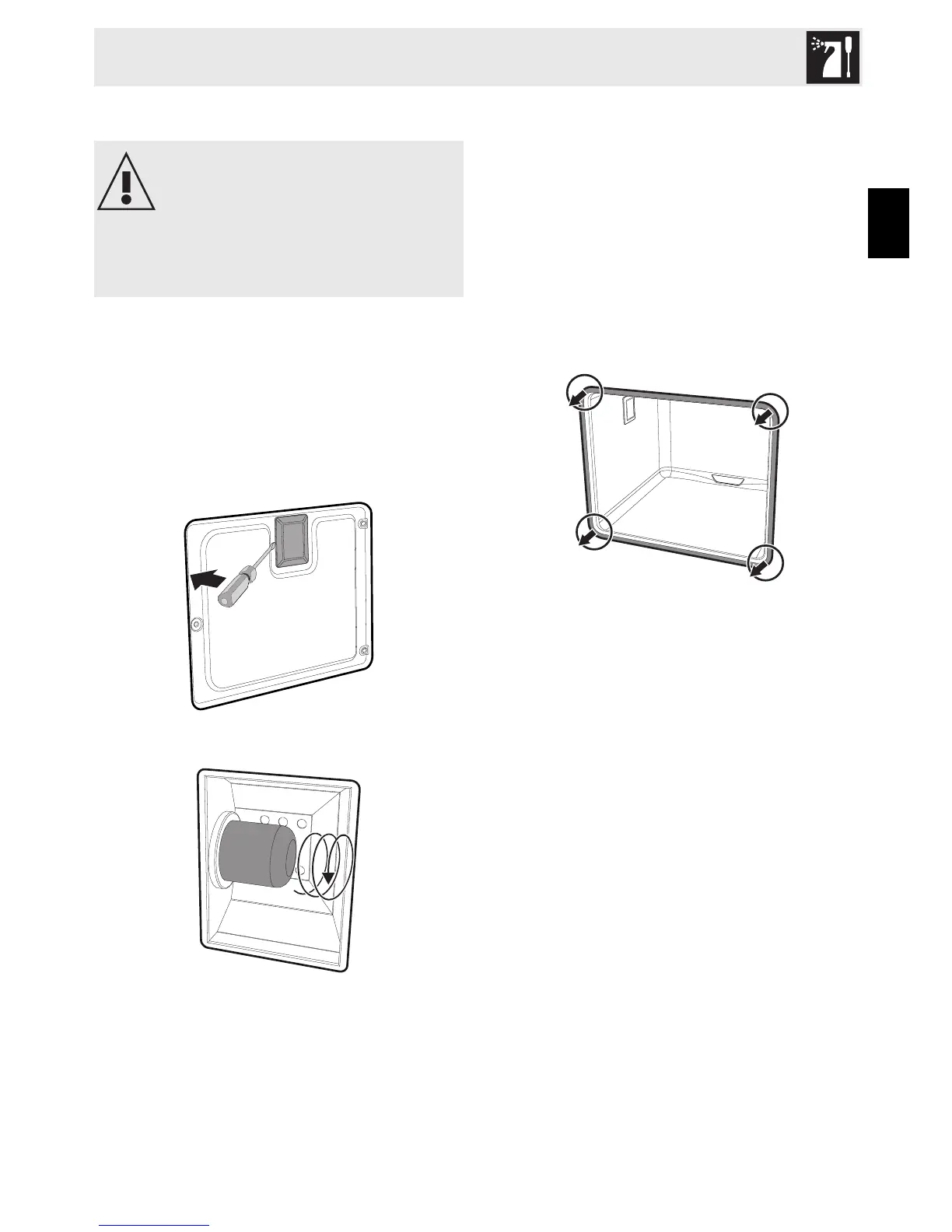
3. Remove the bulb cover using a tool (e.g.
a screwdriver).
4. Unscrew and remove the lamp.
5. Replace the lamp with one of the same
type (25W).
6. Replace the cover correctly, so that the
moulded part of the glass is facing the
door.
7. Press the cover down as far as it will go
so that it attaches completely to the bulb
support.
Removing the door seal
To permit thorough cleaning of the oven, the
door seal may be removed. There are
fasteners on all four sides to attach it to the
edge of the oven. Pull the 4 edges of the
seal outwards to detach the fasteners.
Live parts
Danger of electrocution
• Disconnect the oven power supply.



 To Next Page