EasyManua.ls Logo

Smeg STL324BQLLW - User Manual

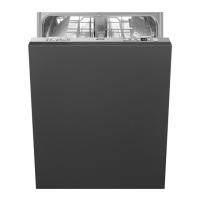
Smeg STL324BQLLW
25 pages
Print Icon
To Next Page IconTo Next Page
Loading...
Contents
1
1 General safety instructions _______________________________ 2
2. Installation ___________________________________________ 9
3. Product description ____________________________________ 15
4. Operating instructions __________________________________ 22
5. Cleaning and maintenance ______________________________ 23
6. Troubleshooting ______________________________________ 24
Thank you for choosing one of our products.
You are advised to read this manual carefully; it contains all the
information you need about the right conditions for the proper, safe use
of your dishwasher.
This manual contains only the basic information required to use the
appliance. The complete manual can be obtained from
www.smeg.com/download-manuals
by entering the product code shown on the plate attached to the inner
right hand edge of the dishwasher door.
The manual can be accessed quickly via the QR code using a device
with a QR reader application.
Question and Answer IconNeed help?

Do you have a question about the Smeg STL324BQLLW and is the answer not in the manual?

Overview

This document is a user manual for a Smeg dishwasher, providing essential information for its safe and proper use, installation, operation, and maintenance.

Function Description:

The Smeg dishwasher is designed and manufactured for washing and drying dishes in a household environment. It is also suitable for similar settings such as staff kitchens in shops, offices, other workplaces, institutions, and for use by guests in hotels, hostels, bed and breakfast establishments, and other residential facilities. Any use other than washing and drying dishes is considered improper, and the manufacturer disclaims all responsibility for such uses.

The dishwasher offers a variety of wash programs tailored to different needs and soil levels:

  • SOAK: Rinses dishes while waiting to be washed.
  • CRYSTAL 45°: Ideal for wine glasses and lightly soiled fine china, aiming for dazzlingly clean glassware.
  • AUTO 45°-65°: Recognizes the type of soil and automatically adjusts washing parameters, ending with a drying cycle. Suitable for normally soiled mixed loads, including those with dried-on residues.
  • ECO 52°C: The standard program according to EN60436, offering the lowest water and energy consumption. Recommended for normally soiled dishes, even with dried-on residues.
  • MIX 65°: For normally soiled mixed loads such as dishes and pans, including those with dried-on residues.
  • INTENSE 70°: Designed for heavily soiled plates, pots, and pans, even with dried-on residues.
  • EXPRESS 27': A quick cycle for lightly soiled dishes, to be washed immediately after use.
  • DELICATE 50°: A wash cycle for mixed loads such as wine glasses and lightly soiled dishes.
  • SILENT: For normally soiled dishes, including those with dried-on residues. Ideal for running during the night.
  • GREEN EXPRESS: A quick wash cycle with low water and energy consumption, suitable for normally soiled mixed loads washed immediately after use.
  • FULL EXPRESS 60': A quick cycle for normally soiled mixed loads such as dishes and pans, including those with dried-on residues. Dishes are washed and dried in 60 minutes.
  • HYGIENE 99.9%: An intensive wash cycle for plates, pots, pans, cutting boards, and feeding bottles. Ideal for baby dishes or for families with allergy sufferers. This program has been tested by an external laboratory (VDE) without any options selected and should not be interrupted for effectiveness.
  • TRAYS: An intensive cleaning program for oven trays placed in the lower basket. Requires ensuring the upper spray arm rotates freely. No program indicator lights are on when selected.
  • SELF CLEAN: A dishwasher cleaning cycle that must be started with an empty machine, without dishes.

The dishwasher also features several options to enhance its functionality:

  • SPECIAL: Creates additional programs, indicated by a blue light.
  • TRAYS: An option for intensive cleaning of oven trays, placed in the lower basket. Ensures the upper spray arm rotates freely. No program indicator lights are on when selected.
  • SELF CLEAN: A dishwasher cleaning cycle. Must be started with the machine empty, without dishes.
  • DELAY: Allows wash cycles to be delayed by up to 9, 12, or 24 hours, depending on the model.
  • DRY ASSIST: Automatically activates (if the selected program is compatible) to perfectly dry dishes even at low rinse temperatures, offering significant energy savings. It can be disabled by pressing the button. This feature is included in programs indicated with ** in the program table.
  • MEZZO CARICO FLEXY ZONE: Ideal for washing just a few dishes, allowing energy savings and a shorter wash cycle.
  • CLEAN & SHINE: Adds an extra rinse to the wash cycle for perfect results and greater brightness.
  • WI-FI: Allows connection to a Wi-Fi network and control of the device via an app.

Important Technical Specifications:

  • Water supply pressure: Min. 0.05 - max. 0.9 MPa (min. 0.5 - max. 9 bar).
  • Water supply temperature: Max. 60°C.
  • Capacity: 12-13-14 standard place settings.
  • Class of protection against moisture: IPX0.
  • Protection against electric shock: Class I.
  • Electrical data: Refer to the data plate on the appliance.
  • Dimensions (mm):
    • Fully Integrated: 820-890 mm (height), 597-600 mm (width), 550 mm (depth).
    • Fully Integrated STX: 820-890 mm (height), 597-600 mm (width), 570 mm (depth).
    • Free Standing STX: 850 mm (height), 600 mm (width), 593 mm (depth).

Usage Features:

  • Control Panel: Features an ON-OFF button, program selection buttons with indicator lights, a display, and options buttons (depending on the model).
  • Switching On: Press the ON/OFF button with the door open; the display will turn on.
  • Programming: Programs can only be selected with the door open and the dishwasher switched on. After selecting a program and any desired options, close the door to start the program.
  • Display Indicators: The display shows various information including dirt level, water consumption, energy consumption, fault signals, salt and rinse aid indicators, scheduled duration, error codes, water hardness and rinse aid settings, audible signal activation/deactivation, Wi-Fi connection status, delayed start time, settings menu access, and remote control indication.
  • Adding Salt: Unscrew the cap of the salt container, fill with 1 liter of water (first time only), then add approximately 1 kg of regeneration salt using the provided funnel. Remove any salt residues before screwing the cap back on. Regeneration salt specifically for domestic dishwashers must be used. A wash cycle should be run after adding salt to remove excess.
  • Adding Rinse Aid: Open the dispenser by pressing and lifting the tab on the cover. Refill when the rinse aid indicator light turns on. Close the cover until it clicks. Wipe away any spilled rinse aid to prevent excess foam.
  • Adding Detergent: Open the detergent dispenser cover by lightly pressing button P. Add detergent or a tablet, then slide the cover until it clicks shut.
  • Automatic Door Opening - Dry Assist: The door opens slightly during the drying cycle to assist drying. This feature is automatic for compatible programs and can be deactivated. The program ends only when a visual and/or audible signal indicates completion. Sufficient space must be available for the door to open, and it should not be forced open or closed before the wash cycle is complete.

Maintenance Features:

  • Safety First: Always unplug the appliance or switch off the omnipolar circuit breaker before any maintenance work.
  • Water Intake Filter Cleaning: Close the water supply tap, unscrew the water intake hose, remove filter A, clean it under running water, and then reassemble.
  • Spray Arm Cleaning: Remove the spray arms and wash them with a jet of water. Ensure they can rotate freely when reinstalled. The upper spray arm is removed by unscrewing locking ring R. The lower spray arm is removed by lifting it from the central part. The orbital spray arm assembly is removed by pulling the longer arm and then the orbital unit upward. Instructions are provided for cleaning the planetarium sprayer.
  • Filter Unit Cleaning: Remove the planetarium spray arm (if fitted). Grip the tabs, turn them anticlockwise, and lift upwards. Push the central filter D from underneath to remove it from the micro-filter. Separate the two parts of the plastic filter by pressing the body of the filter in the indicated zone.
  • Troubleshooting: The dishwasher has a self-diagnostics system that signals faults with error codes (E01+ to E11+). For E01+ and E11+, contact technical assistance. E07+ indicates a completed cycle despite a fault. For other alarms, stop the program, switch off, then switch on and reprogram the dishwasher. If the malfunction persists, contact an authorized Service Centre with the fault code.
  • Complete Manual: Only basic information is in this manual. The complete manual can be obtained from www.smeg.com/download-manuals by entering the product code from the plate on the inner right-hand edge of the dishwasher door, or quickly via a QR code.

Smeg STL324BQLLW Specifications

General IconGeneral
BrandSmeg
ModelSTL324BQLLW
CategoryDishwasher
LanguageEnglish

Related product manuals