TRAK MODEL 9100 MODULAR FREQUENCY/TIME SYSTEM
3-6
TM4400013 Rev D
3-2.5 Fault Sense Units (FSU)
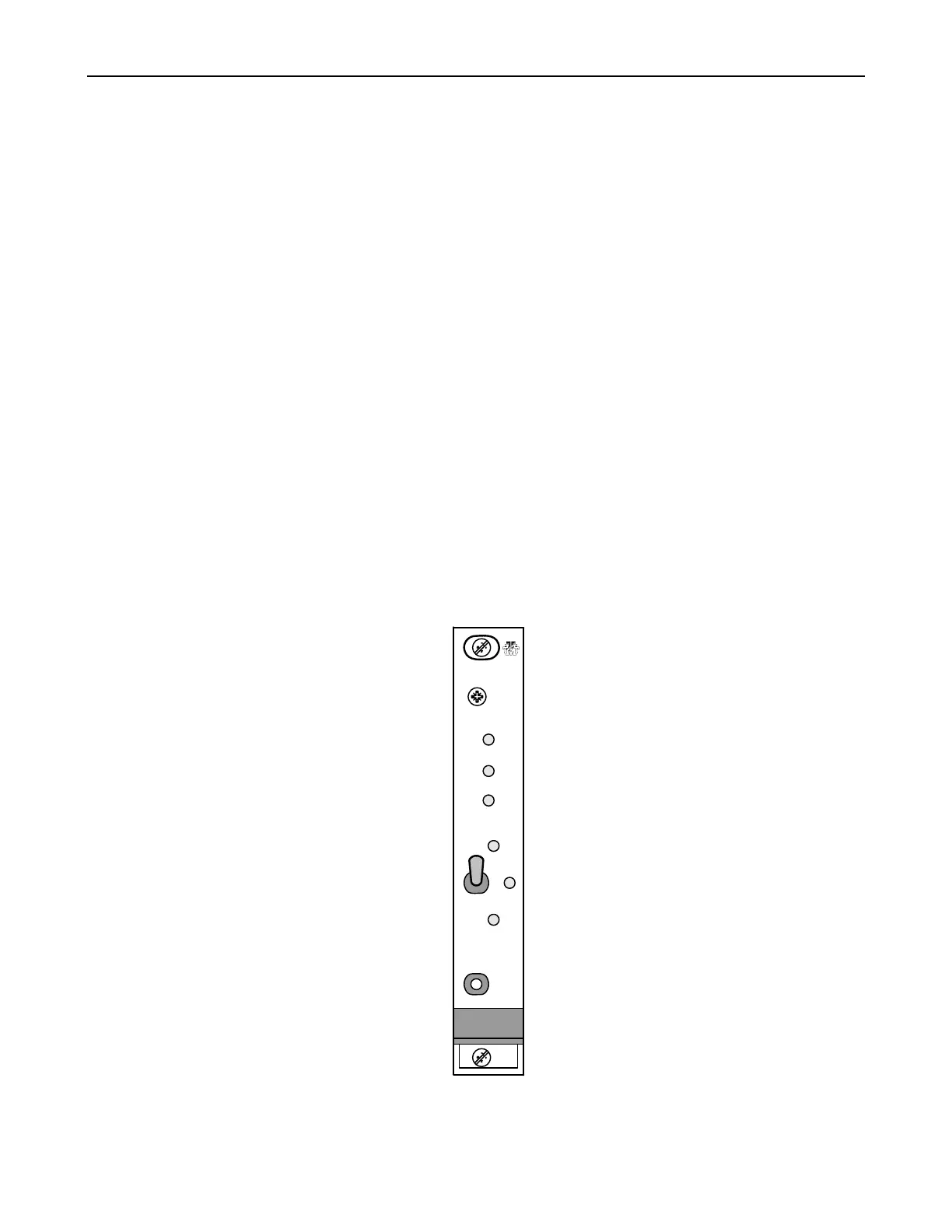
The Model 9104 Fault Sense Unit front panel shown in Figure 3-6 contains the following LED indicators:
FAULT red, module fault summation
STANDBY green, indicated module is in standby
ON LINE green, indicates module is on line
SELECT A green, indicates manual mode A is selected
AUTO green, indicates FSU is in the automatic A to B fail over mode
SELECT B green, indicates manual mode B is selected
The Model 9104 Fault Sense Unit front panel shown in Figure 3-6 contains the following switches:
A AUTO B Selects the operational mode. Default mode is AUTO. To change to A or B (usually for
testing or module replacement) press FAULT RESET while actuating the momentary
switch to the desired mode. This double actuation prevents accidental mode changes.
If the system is not redundant, the switch is not functional. Actuating the switch will
cause the selected LED to flash.
FAULT RESET Pressing FAULT RESET clears any latched faults.
Figure 3-6. Model 9104 Fault Sense Unit (FSU)
FAULT
TRAK
SYSTEMS
FSU
A
U
T
O
B
A
PRESS
TO
RESET
ON LINE
STANDBY
FAULT
RESET
SELECT



 To Next Page