DTHL1C Page 5 of 5
H. Override/Resume Preset Program
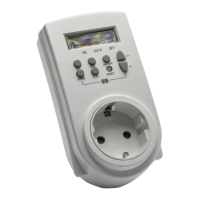
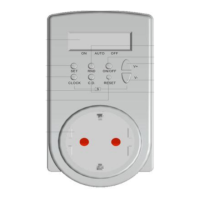
Press ON/OFF Button each time can override/resume the preset program, LCD changes the display
in the following sequence:
1.ON: override the preset program and appliance remains on at all time
2.AUTO: resume the preset program, appliance will be turned on and off automatically
according to the preset time
3.OFF: override the preset program and appliance remains off at all time
Noted:
(a). The preset countdown or random functions only activates when the Timer is in AUTO status and
plugged into the AC socket.
(b). When countdown function is activated, random and auto on/off program setting will not active.
(c). When random function is activated, countdown and auto on/off program setting will not active.
I. Connections
1. Preset your desired On/off programs on the Timer as mentioned above.
2. Switch off your electrical appliance
3. Connect your appliance’s power cord to the Timer’s socket, then connect the Timer to the AC
socket to get power
4. Switch on your appliance.
5. Appliance will then be turned on/off according to your preset programs unless manual override
pressed.
J. Safety Precaution
1. This Timer is for indoor use only, DO NOT use outdoor.
2. Appliance to be plugged into the Timer must not exceed the ratings as in “Specification”
3. Disconnect from the socket before removing the battery cover.
4. The Timer is using a rechargeable battery. When changing the batteries, the preset program will
all be reset and need to input new program afterwards.
K. Specifications
1. Current : 230VAC, 50Hz, 16A
2. Max. Power : 3500W
3. IP Rating : IP20
4. Working Temp : 0 - 55°C
5. Time Setting Interval: 1 Minute


 To Previous Page