Operations
1. POWER
Power button: Short press to turn on the power, then short press to turn off
the power. Hold is the volume up.
2.
INPUT SELECTION
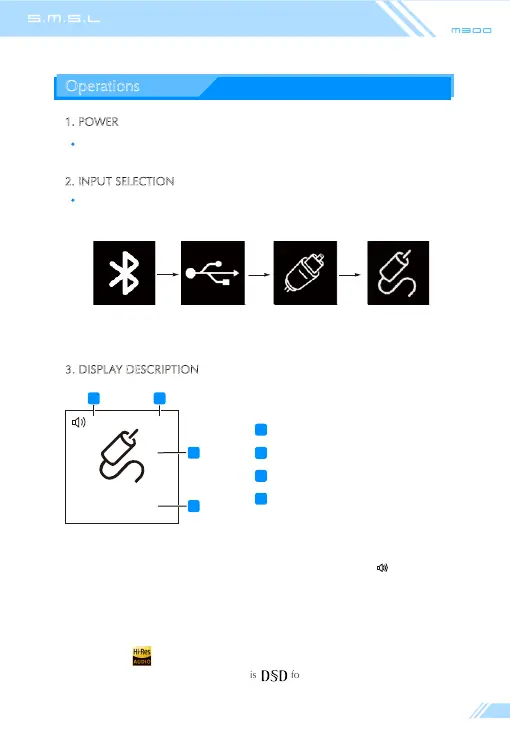
Input selection button: Every time you press , the input will switch between
Bluetooth , USB , Optical , Coaxial. Hold is the volume down .
3. DISPLAY DESCRIPTION
33 FL5
44.1 kHz
2
1 2
3
4
Volume indicator
Filter indication
Input selection indication
Sampling rate indication
1
2
3
4
USB
CoaxialOpticalBluetooth
(Note 1)
(Note 2)
(Note 3)
When the output volume is set to a fixed volume mode display:
Display PCM filter when playing audio format is PCM .
Display DSD filter when the playback audio format is DSD .
Display when the playback song sampling rate is higher than 88.2KHz .
Display DSD when playing a song is format .
Note 1:
Note 2:
Note 3:
Fixed



 To Next Page