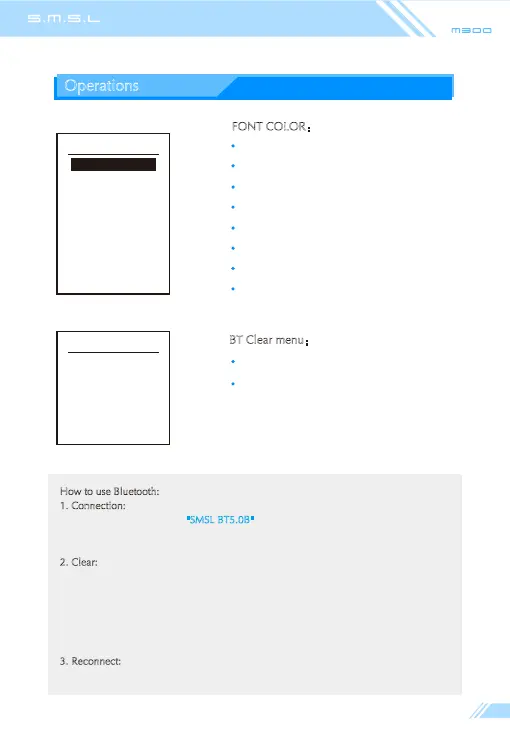
BT list clear
Turn to clear
White
Red
Green
Blue
Yellow
Cyan
Orange
Purple
FONT COLOR:
BT Cleared!(The paired device was cleared!)
Turn to Clear
(Press the "up" or "down" buttons of the remote
control to clear paired device.)
BT Clear menu:
Operations
FONT COLOR
White
Red
Green
Blue
Yellow
Cyan
Orange
Purple
How to use Bluetooth:
1. Connection: switch the input source to Bluetooth, turn on the Bluetooth function
of the mobile phone, search "SMSL BT5.0B"
, and click Connect after searching. When
the mobile phone displays "connected", the connection is successful;
2. Clear:
When Bluetooth is connected to other devices or cannot be connected, try
to remove the currently connected device list of Bluetooth, enter the menu of BT clear,
press the "up" or "down" button on the remote control to clear the Bluetooth connected
device list. At this time, please use the mobile phone you want to connect to connect
again.If the current input is not Bluetooth, this setting is invalid, and the operation will
display "it's not BT!" , please switch to Bluetooth and try again!
3. Reconnect:
when the transmission distance is exceeded or the connection is
interrupted, hold the input source button on the remote control to reconnect!



 To Next Page