EasyManua.ls Logo

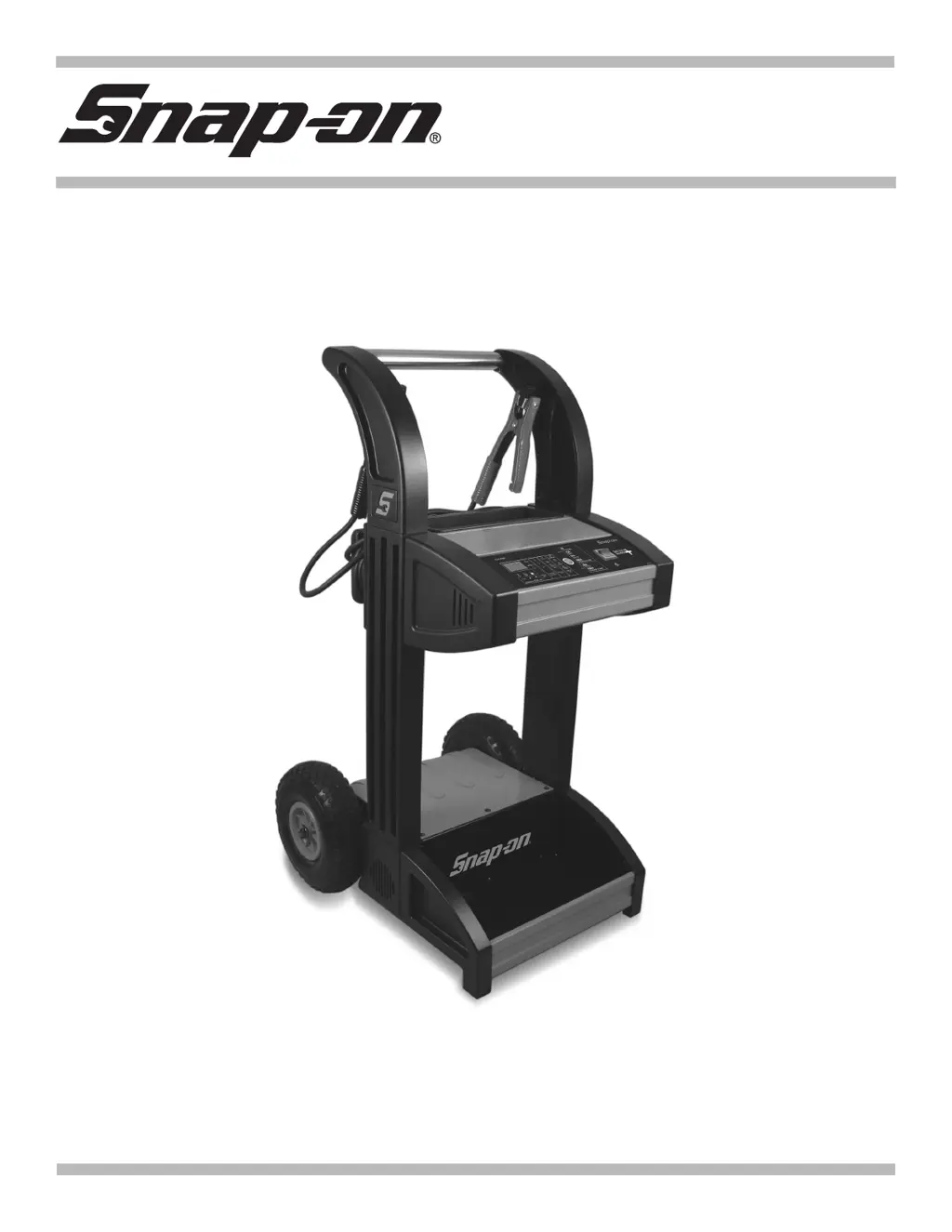
Snap-On BATTERY CHARGER PLUS EEBC500B - User Manual

Snap-On BATTERY CHARGER PLUS EEBC500B
55 pages
Print Icon
To Next Page IconTo Next Page
Loading...
BATTERY CHARGER PLUS
EEBC500B
0099002232-00
EEBC500B-Z

Questions and Answers

  • M
    Mike HaleAug 12, 2025
    Why is the charging LED flashing on my Snap-On Battery Charger?
    • L
      Leslie MuellerAug 12, 2025
      If the charging LED on your Snap-On Battery Charger is flashing, it indicates that the charger has stopped in one of the charge modes or that the battery is bad. The charger cannot complete the charge. It is recommended to have the battery checked and replaced if necessary. Disconnect the charger from the AC outlet and remove the clamps. Do not continue trying to charge the battery.
  • R
    Ryan SmithAug 15, 2025
    Why does my Snap-On Battery Charger engine start not work?
    • C
      Christopher CollinsAug 15, 2025
      If the engine start function on your Snap-On Battery Charger isn't working, consider these potential causes: * **Excessive Current Draw:** If the vehicle is drawing more than 300 amps (6V/12V) or 250 amps (24V), the crank time may be reduced. * **Insufficient Rest Time:** Ensure you wait 3 minutes between cranks. When the Engine Start LED blinks, wait the full rest time before attempting the next crank. * **Overheated Charger:** The thermal protector may have tripped. Ensure the charger vents are not blocked. Wait for it to reset and try again. * **Severely Discharged Battery:** For a severely discharged battery, use the 60A Rapid rate for 10 to 15 minutes to assist in cranking.
  • D
    David WongAug 19, 2025
    Why does the battery percentage stay low during charging with my Snap-On Battery Charger?
    • D
      Dustin ShermanSep 12, 2025
      If the battery percentage remains low while charging with your Snap-On Battery Charger: * **Severely Discharged Battery:** Continue charging the battery for two more hours. If the problem persists, contact your Snap-on representative. * **Incorrect Voltage Setting:** Ensure the BATTERY VOLTAGE switch is correctly set for the appropriate voltage (6V, 12V, or 24V).
  • C
    Cathy ParkerAug 23, 2025
    Why don't the “Trickle” and “Fast Charge” rates work on the 24V setting of my Snap-On Battery Charger?
    • G
      Gerald HowardAug 23, 2025
      The Snap-On Battery Charger does not fully charge 24V batteries. It boosts the voltage to 27.2V and holds the voltage at this level.
  • L
    Lisa WilliamsonAug 27, 2025
    What to do if the Snap-On Battery Charger shows no reading or 0.0V on the display?
    • B
      Bryan BrownAug 27, 2025
      If your Snap-On Battery Charger display shows no reading or 0.0V, there are several possible causes and solutions: * **Poor Connection:** Check the clamps for a secure connection at both the battery and the frame. Ensure the connecting points are clean. * **Loose AC Cord:** Verify that the power cord and any extension cords are firmly plugged in. * **No Power:** Check the AC outlet for an open fuse or a tripped circuit breaker. * **Reversed Polarity:** Ensure the battery clamps are connected with the correct polarity. Verify and reverse if necessary.
  • K
    Kevin CruzAug 30, 2025
    What to do if the Snap-On Battery Charger is making a clicking noise?
    • B
      blackkevinAug 30, 2025
      If your Snap-On Battery Charger is making a clicking noise, here are some possible causes: * **Circuit Breaker Cycling:** The circuit breaker may be cycling due to high capacity operation. Stop the operation by pressing the START/STOP button and allow the unit to cool down before resuming. * **Defective Battery:** Have the battery checked. * **Shorted Battery Clamps:** Inspect the cables for shorts and replace them if needed. * **Severely Discharged Battery:** Allow charging to continue, so the battery has a chance to recover. If the clicking continues for more than 20 minutes, stop charging and have the battery checked. * **Reversed Connections:** Ensure the lead connections are correctly placed on the battery.
  • B
    Brian PhillipsSep 4, 2025
    What to do if I get short or no start cycle when cranking engine with Snap-On Battery Charger?
    • Q
      qfletcherSep 4, 2025
      If you experience a short or no start cycle when cranking the engine with your Snap-On Battery Charger, consider the following: * **Insufficient Rest Time:** Wait three minutes between cranks, or until the display reads ??? and the LED is on. * **Poor Connection:** Check for poor connection at the battery and frame. Ensure connecting points are clean. * **Loose AC Cord:** Verify the power cord and extension cord are securely plugged in. * **No Power:** Check the AC outlet for an open fuse or circuit breaker. * **Overheated Charger:** The internal thermal protector may have tripped. Wait until it automatically resets and try again. * **Severely Discharged Battery:** If the battery is severely discharged, wait for 10 to 15 minutes in Engine Start mode to help assist in cranking.
  • A
    Abigail VaughnSep 7, 2025
    What does “SUL” mean on my Snap-On Battery Charger display?
    • V
      Veronica FreemanSep 7, 2025
      If your Snap-On Battery Charger displays “SUL”, it indicates that the battery is sulfated. A sulfated battery may eventually recover if left connected. The charger will continue to charge with a low current for up to 10 hours to recover the battery. If the battery does not take a charge after 10 hours, have it checked.

Snap-On BATTERY CHARGER PLUS EEBC500B Specifications

General IconGeneral
BrandSnap-On
ModelBATTERY CHARGER PLUS EEBC500B
CategoryBattery Charger
LanguageEnglish

Related product manuals