36
Troubleshooting, Adjustment, & Service
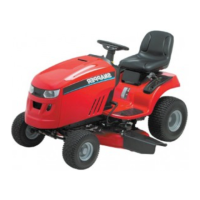
Figure 44. Tighten Idler Assembly Capscrew
A. 3/8” Ratchet and Extension
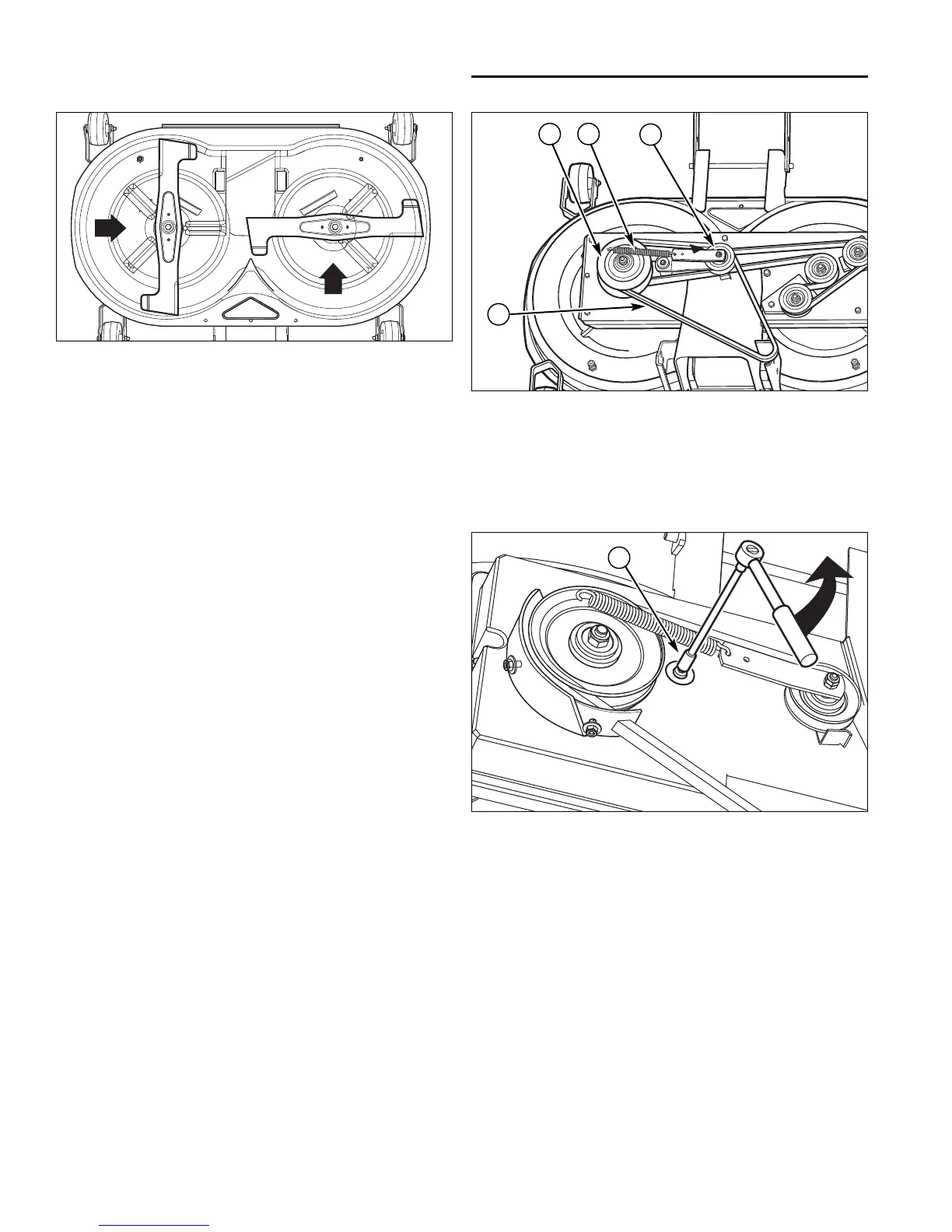
Figure 42. Mower Blade Timing
A
Arbor Drive Belt Replacement
1. With the deck installed, park the tractor on a smooth,
level surface such as a concrete floor. Disengage the
PTO, engage the parking brake, shut the engine off,
and remove the key.
2. Remove the mower deck (see “Mower Deck
Removal”).
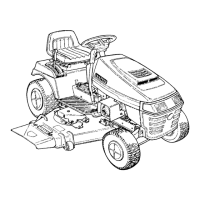
3. Remove the belt cover for the PTO pulley (A, Figure
43).
4. Unhitch the idler spring (B) from the hole at the frame
bracket.
5. Remove the PTO belt (C).
6. Install a new belt on the PTO pulley (A) and idler
pulley (D) as shown.
7. Hitch the idler spring back on the frame bracket.
NOTE: The PTO belt of the mower is tensioned by
means of a pulley with a spring. If the tension releases,
increase it by placing the eye of the spring into the
second hole in the pulley lever, or in another hole at the
frame bracket.
8. Reinstall the belt cover.
Figure 43. Mower Deck (Belt Covers Removed)
A. PTO Pulley
B. Spring
C. Belt
D. Idler Pulley
E. Idler Assembly
A
B
C
D



 To Next Page