7
K.5mk2 Monitor
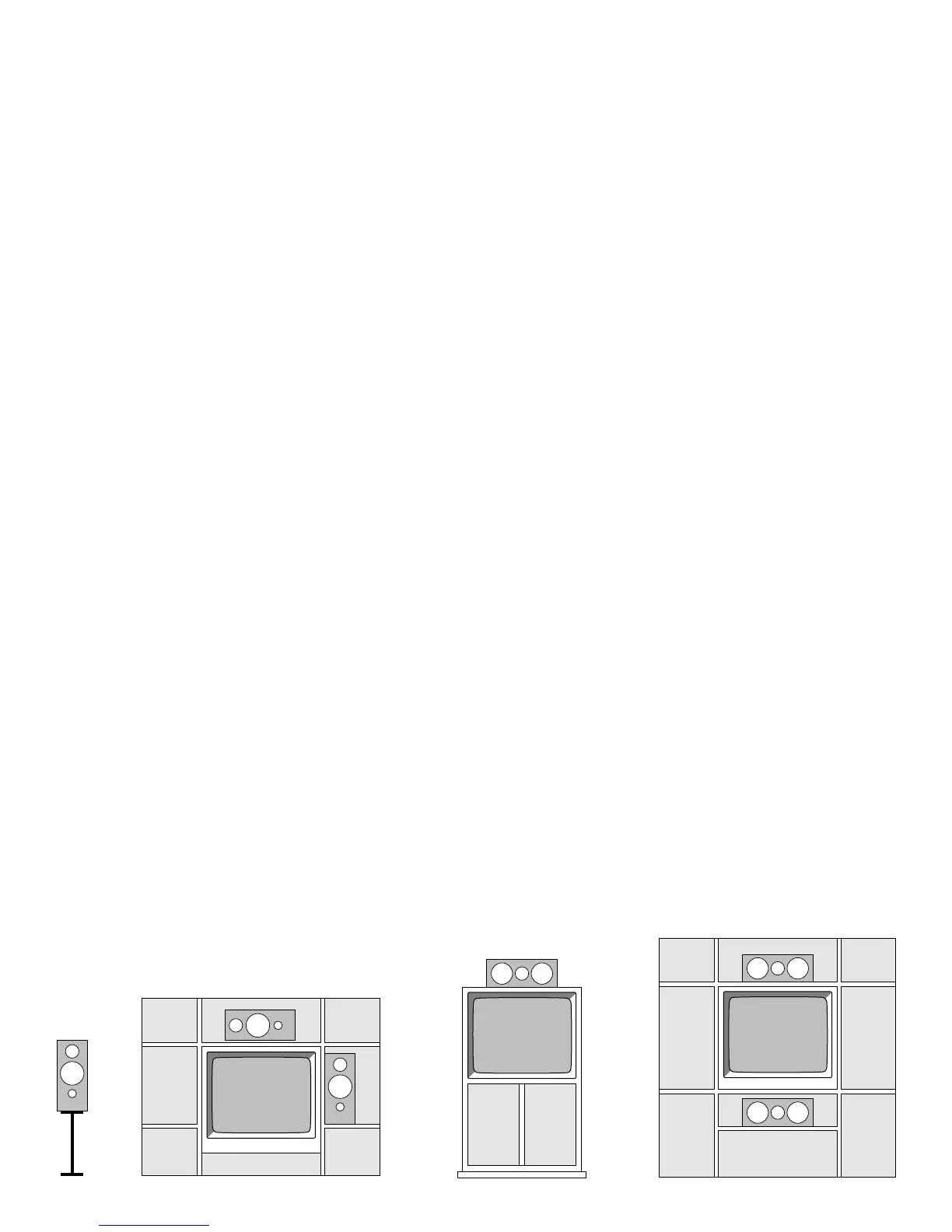
The K.5mk2 Monitor is designed for either free-
standing or cabinet placement.
Freestanding placement refers to a situation in
which the K.5mk2 Monitor has at least a 12-inch
(30cm) clearance on three sides.
➤ On stands - away from any furniture
➤ On a wall bracket
➤ On an open bookshelf
Cabinet placement refers to a situation in which
the K.5mk2 Monitor is bounded on at least one
side by a large object:
➤ In an audio/video cabinet
➤ On a crowded bookshelf
➤ On stands, but placed right next to a TV
Setting the Placement Switch
Freestanding placement:
Set the Placement Switch to NORMAL.
Cabinet placement:
Set the Placement Switch to BOUNDARY.
Asymmetrical placement:
1. Based on your room layout, you might find that
one speaker performs best in the BOUNDARY
setting, and the other in the NORMAL setting.
2. You may place one K.5mk2 Monitor horizontally
and the other vertically without sound degrada-
tion.
CR.5mk2 Center Channel
The CR.5mk2 is designed for either TV top or cabinet placement.
TV top placement refers to a situation in which the CR.5mk2 is:
➤ On top of a 30-inch (76cm) or smaller TV, and the TV is freestanding in
your room.
Cabinet placement refers to a situation in which the CR.5mk2 is:
➤ On top of a TV larger than 30 inches (76cm)
➤ On top of a TV that is placed in an audio/video cabinet
➤ Below a TV, on a shelf
Setting the Placement Switch
TV top placement:
Set the Placement Switch to NORMAL.
Cabinet placement:
Set the Placement Switch to BOUNDARY.
Placement Guidelines
The center channel keeps musical or soundtrack information centered in the
listening area. Therefore, its placement relative to the left and right speakers is
critical.
Place the speaker on top of or beneath your TV with its front edge as forward
as practical. Try to keep the front of the speaker flush with the front of the
screen.
Place the CR.5mk2 no higher or lower than 2 feet (60cm) of your left and
right speakers. If you need to place the speaker any higher or lower, angle it
toward ear level.
Attaching the Felt Bumpers
Four (4) felt bumpers are included with the CR.5mk2. Stick them to the bot-
tom of the speaker cabinet to protect the finish on your TV.



 To Next Page