E.5mk2 Tower
The E.5mk2 Tower is designed for either freestand-
ing or boundary placement.
Freestanding placement refers to a situation in
which the E.5mk2 Tower has at least a 12-inch
(30cm) clearance on all four sides.
➤ Away from large furniture
➤ Not close to walls
Boundary placement refers to a situation in which
the E.5mk2 Tower is bounded on at least one side
by a large object:
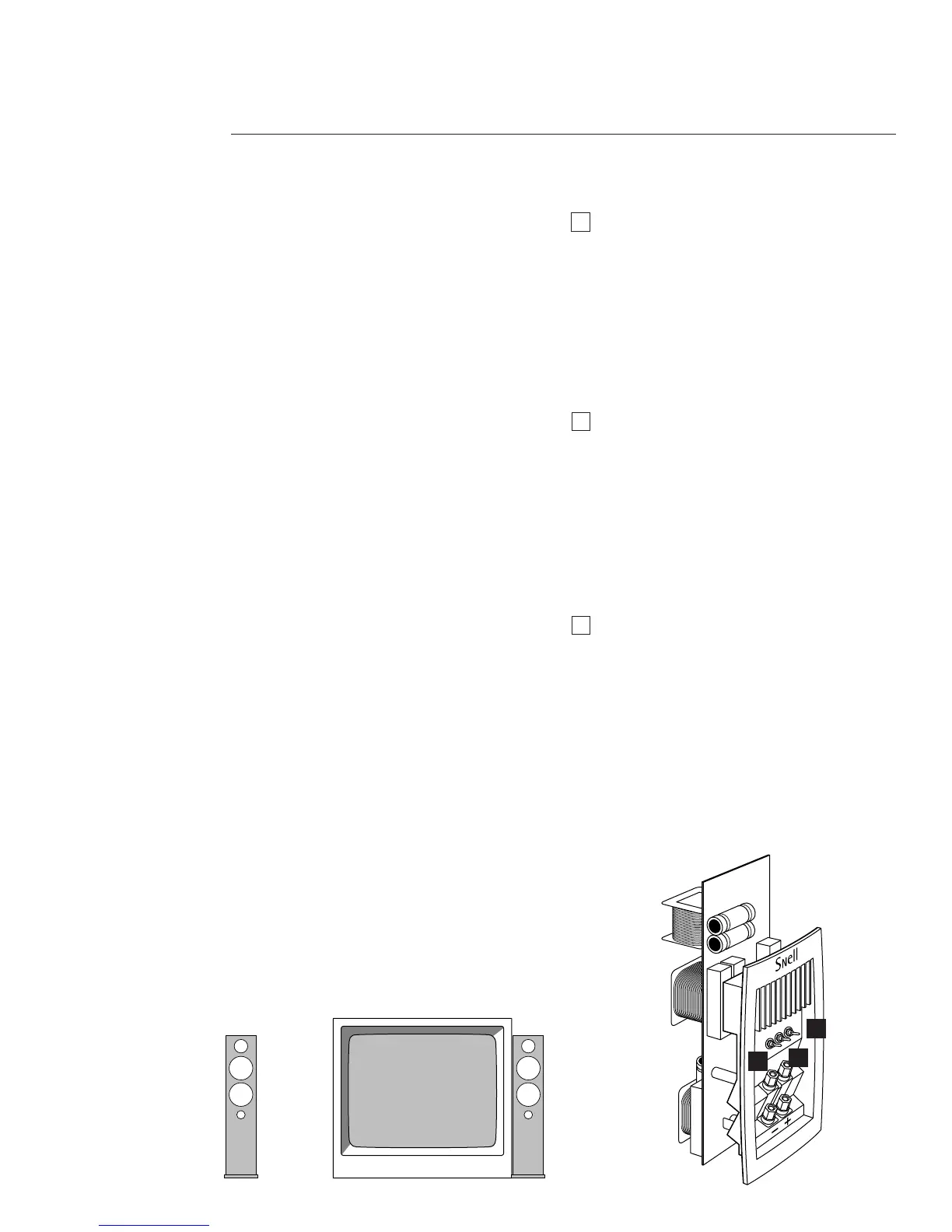
➤ Placed beside a TV
➤ Placed beside a bookshelf or an audio/video
➤ Placed next to a wall
Setting the Carpet Spikes
Four steel spikes (#5/16-18 thread) are included
with the E.5mk2. Use them when placing the
E.5mk2 on the carpet to balance the speaker.
6
HOW TO PLACE YOUR SPEAKER SYSTEMS
3
2
2
3
1
1
Setting the Placement Switch
(far left switch)
Freestanding placement:
Set the Placement Switch to NORMAL.
Boundary placement:
Set the Placement Switch to BOUNDARY.
Asymmetrical placement:
Based on your room layout
,
you might find that
one speaker performs best in the BOUNDARY
setting, and the other in the NORMAL setting.
Setting the Treble Level (mid-switch)
The Treble Level Control contours the ”bright-
ness“ of the E.5mk2 Tower.
➤ Turn the Treble Control to + to increase the
high-frequency output in situations in
which the E.5mk2 sounds dull.
➤ Turn the Treble Control to - when the
E.5mk2 is overly bright — especially in
highly reflective rooms.
Setting the Rear-Firing Tweeter (far right)
The rear-firing tweeter adds spaciousness and
ambiance to the soundstage, and is particularly
effective when the E.5mk2 is placed at least 12
inches (30cm) from a back wall.
Turn the rear-firing tweeter OFF when:
➤ The E.5mk2 is placed directly against a back
wall.
➤ The soundstage sounds too bright for your
taste.



 To Next Page