52 • EN
Return to contents
5.3 Caravan/Motorhome
Setting up vehicle perameters
For Ventura to calculate a route suitable for your vehicle it needs to know certain information about the vehicle itself such as its
height, weight and width. It is possible to save the settings of 10 different vehicles. Follow these instructions to enter your vehicles
details.
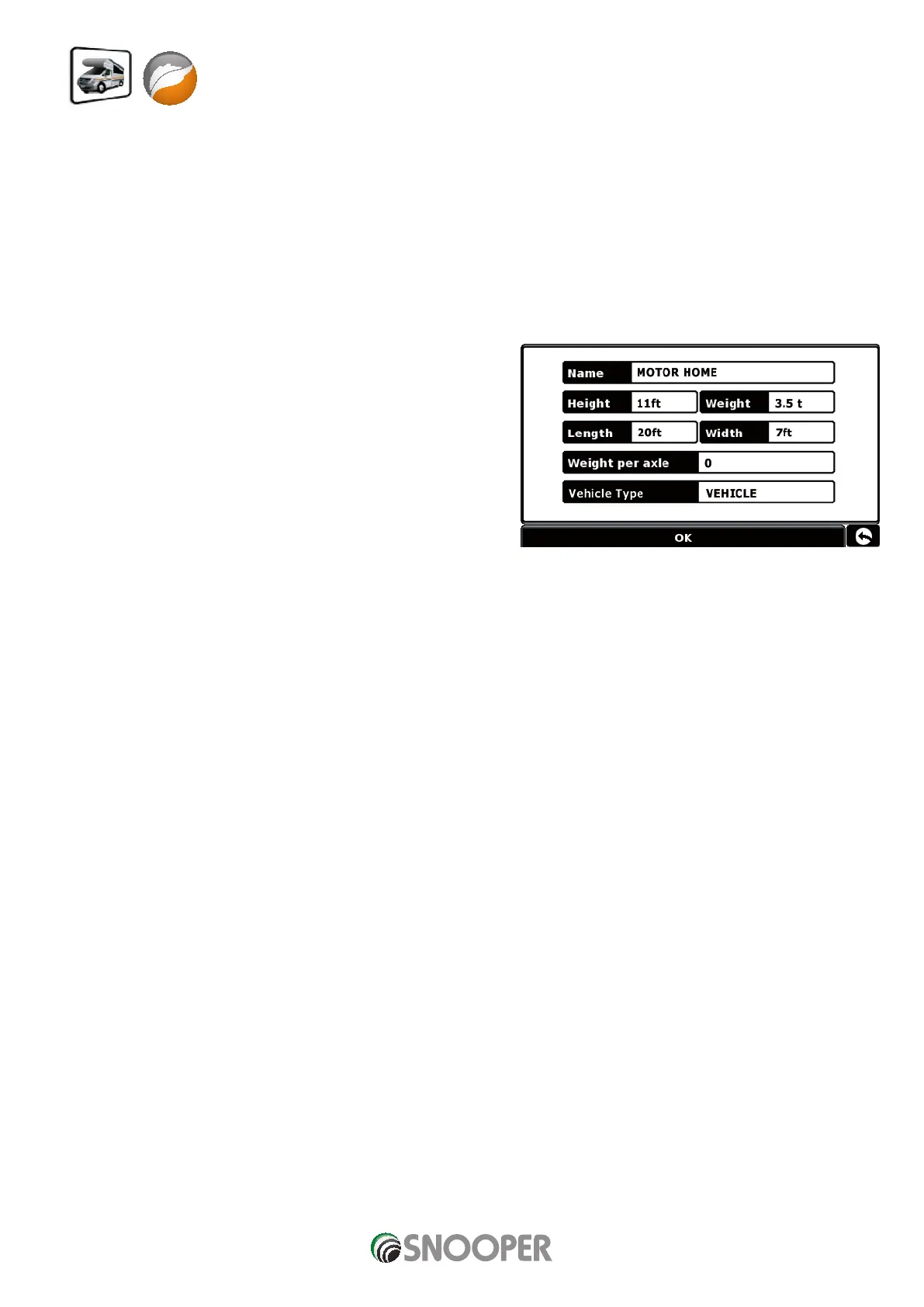
Press the centre of the screen to access the menu, press ‘Configure’ and then press the ‘Caravan/Motorhome’ icon.
Name: Enter the name here.
Height: Enter the height of the vehicle here.
Length: Enter the length of the vehicle here.
Weight: Enter the weight of the vehicle here.
Width: Enter the width of the vehicle here.
Weight per axle: Enter the weight per axle of
the vehicle here
Vehicle type:
Fixed Axle: Standard setting for fixed axle vehicles.
Trailer: Specific traffic rules exist for vehicles towing caravans. For example, there are roads that are forbidden for towing vehicles.
These will be avoided.












 To Next Page