Charging the internal battery
Connect the Device to the PC or external power, the unit will switch On
automatically. To charge the battery, switch the unit o by holding the power
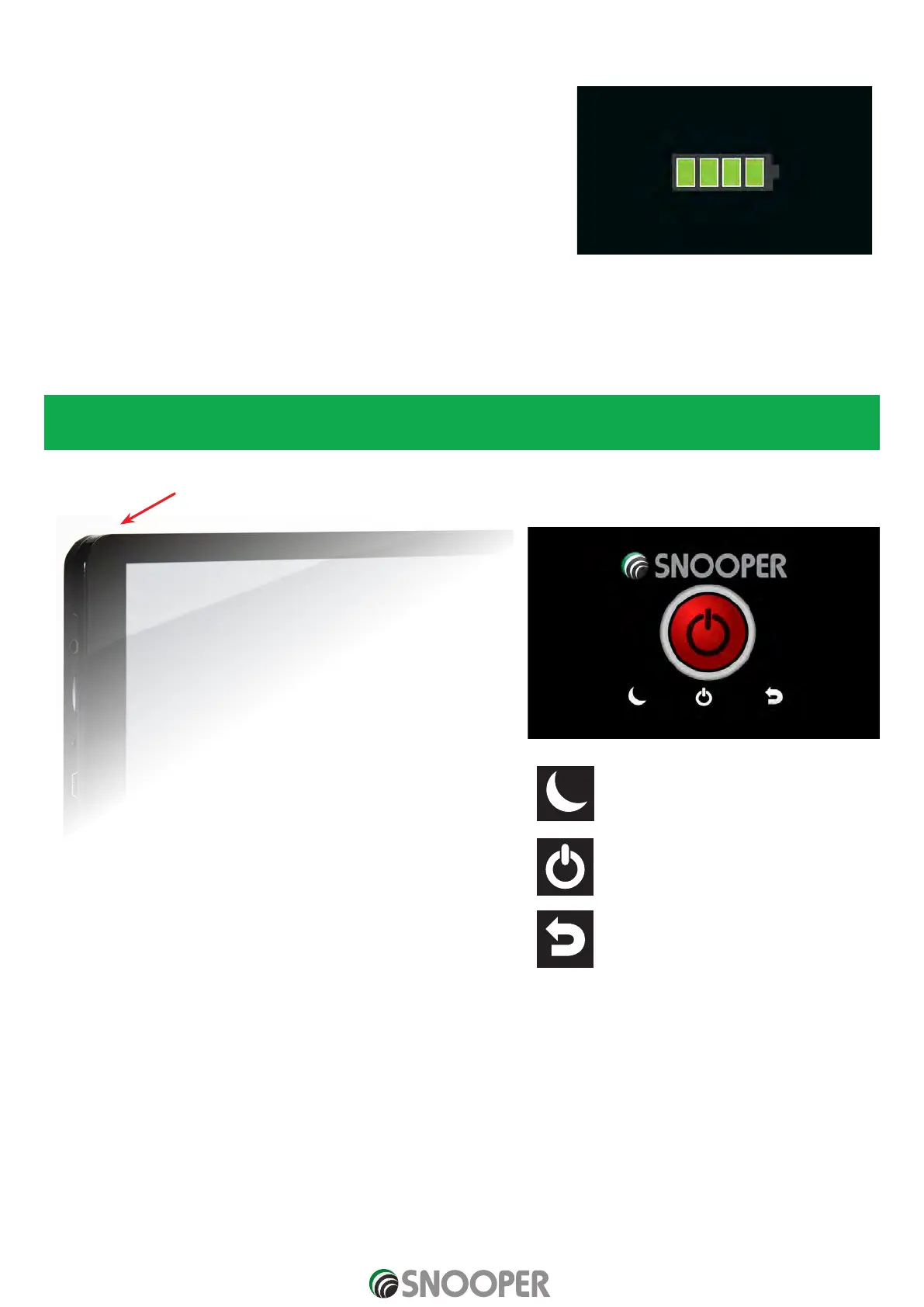
button for 7-10 seconds. The battery icon will appear on the screen to indicate
that the unit is on charge.
Note: The new battery’s full performance is only achieved after two or three
complete charges and discharges. The battery icon indicates that the battery
is charging ONLY and does not indicate the level of charge currently within
the battery. When fully charged you will see an icon similar to the picture on
the right.
Powering Snooper using the built-in battery
Once Snooper is fully charged, it is ready for use. Press and hold the power switch on the top of the unit for 2 seconds to switch on
the device.
Note: the battery is designed to be a back up ONLY and Snooper recommends that the the navigation device is powered from
the vehicle charger when in use.
On Press and hold for 2 seconds
O Press and hold for 7 - 10 seconds
Note: when the power button is held there are 3 options
Sleep: this wil
l switch standby mode for a
fast
er r
estar
t but it ma
y dischar
ge the
in
t
er
nal ba
ttery.
Shut down: this will completely shut the
Unitdown , conserving the internal
battery.
Return to the previous screen
Pictures are for illustrative purposes only.













 To Next Page