12
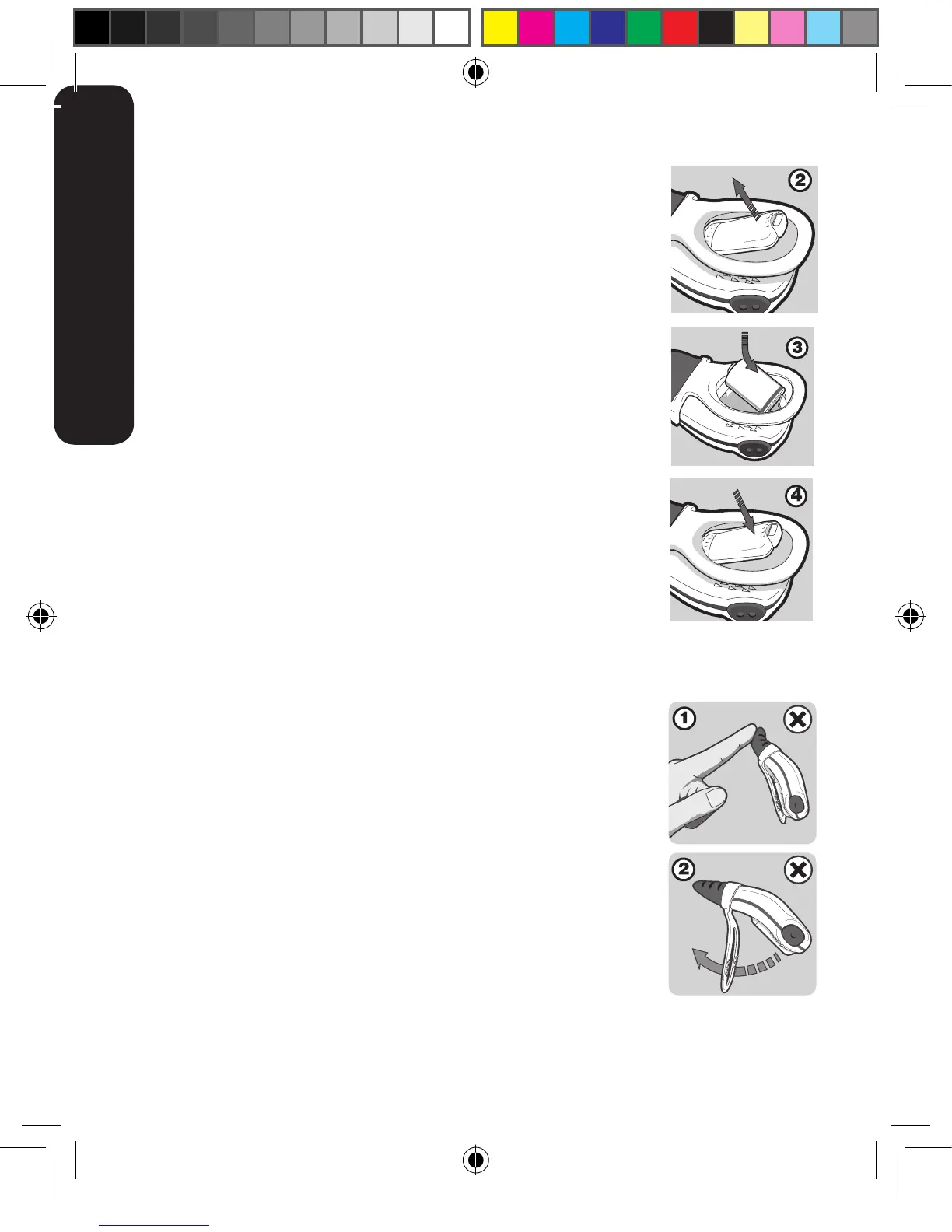
2.The Clip Guard Rail (11) prevents the clip from bending too far.
Do not try to bend the clip beyond this point.
3. Remove the depleted battery. The serial number is located
beneath the battery.
4. Insert the new battery, negative end first, as shown in Figure 3.
Ensure that the polarity is correct (align the positive end ‘+’ of the
battery with the ‘+’ symbol in the battery housing). Replace the
Battery Cover and ensure that it is correctly closed (Figure 4).
Do not use the monitor without the Battery Cover in place.
5. Test the unit by switching on and ensuring that the Battery
Indicator Light (2) flashes green.
6. If the unit starts emitting a beep after the battery has been
replaced, simply press the ON/OFF and MODE/OFF buttons
simultaneously to turn it off.
9.4 Disposal
The battery must be disposed of in accordance with your country’s laws governing the
disposal and recycling of batteries.
10. MAINTENANCE
10.1 Precautions
• DonotinsertanythingintotheSpeakerHoles(5).
• DonotallowanyliquidtoentertheSpeakerHoles.
• Avoidbendingthesensorunnecessarily(g1).
• Donotuseundueforcetobendtheclip(g2).
• DonotpulltheBatteryCoverReleaseClip(10)beyondthe
Guard Rail (11).
10.2 Cleaning and Storage
• Gentlywipewithadampclothtoremoveanydirt.Amildsoapmaybeusedfor
stubborn dirt.
• Donotuseanyothercleaningagentsastheymaycontaindamagingchemicals.
ENGLISH



 To Next Page