Socket Testing
The MFT5000 has a unique feature for testing sockets.
Switch the Rotary Dial to socket, insert the 13A test leads BLUE, GREEN and BROWN into
the tester terminals.
Plug the 13AMP plug into the socket under test.
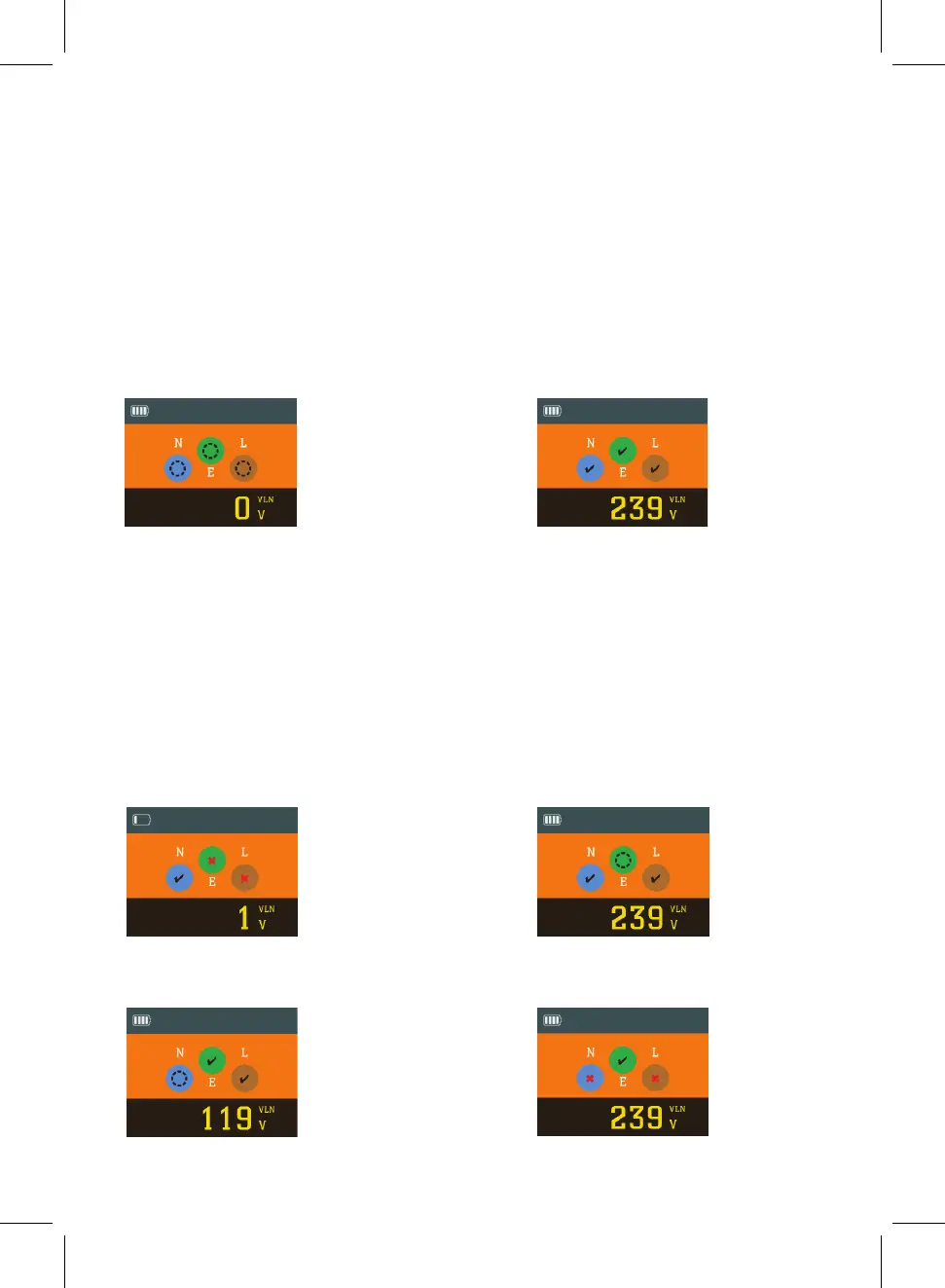
If no voltage present the
above will be displayed.
If voltage is present and wiring is
correct the above will be displayed.
Correct wiring is indicated by a tick
in each of the phase colours.
NOTE: A thumb should cover the Polarity Test Pad while the socket test is conducted to
correctly diagnose a fault.
If there is incorrect wireing one of the following screens will be displayed.
Reversed Live/Earth
Missing Neutral
Missing Earth
Reverse Polarity
14



 To Next Page