Operating the Socket & See MFT5000
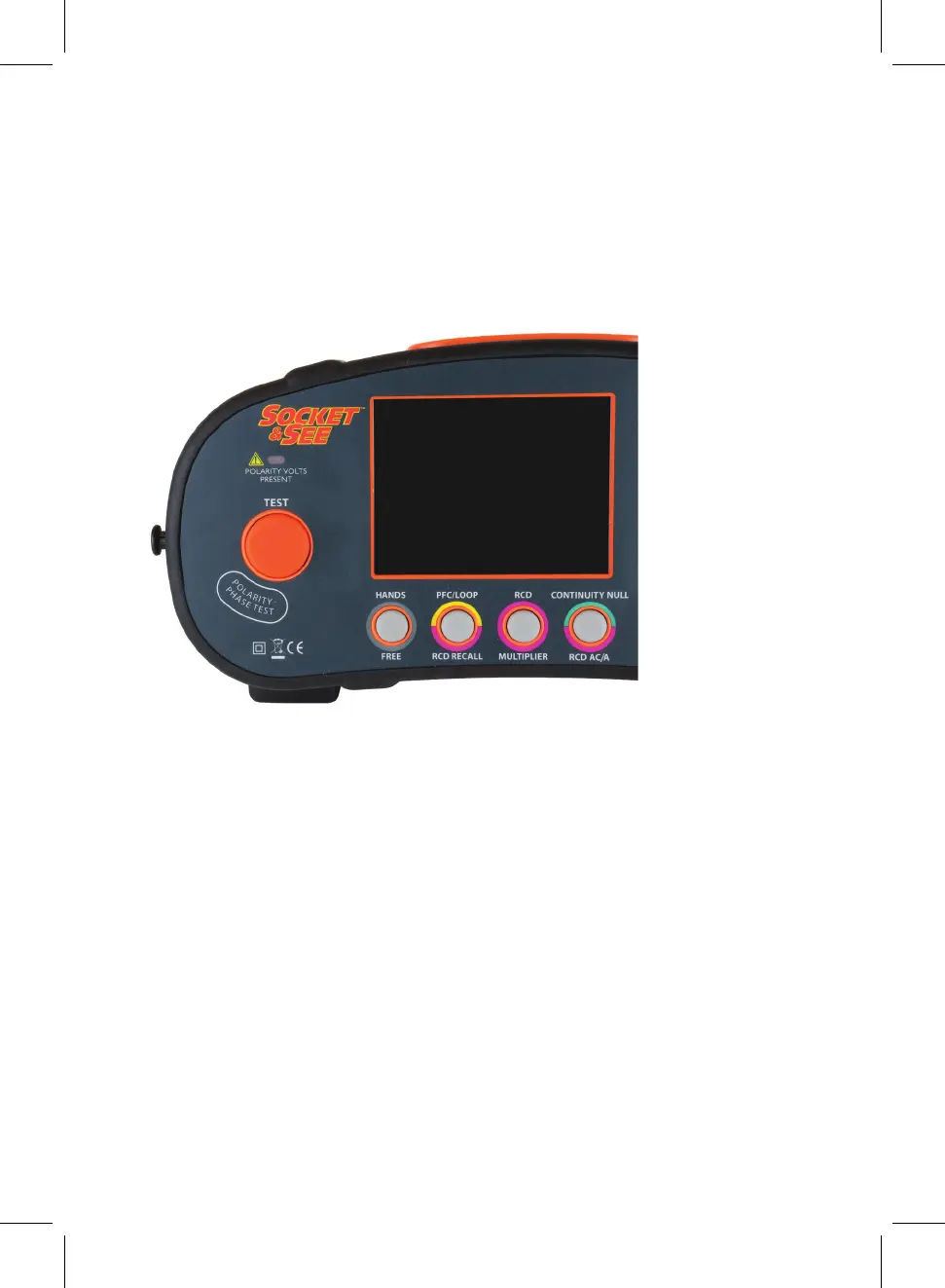
Push Buttons
1. Test Button - Initiates all selected tests
2. Handsfree - Handsfree function for Continuity, Insulation & Loop
3. PFC/Loop/RCD Recall - Prospective fault current value after Loop Test Result
lists the last set of RCD Test Data from an Auto Test
4. RCD Multiplier - Toggles RCD Multiplier value
5. RCD AC/A/Continuity Null - Nulls the Resistance Value from the Test Leads in use /
Toggles between type A/AC RCD
6. Polarity Test Pad - Unique safety function ensuring correct mains polarity
Auto power o function
To ensure long battery life the MFT5000 will automatically power o when standing idle for
3 minutes. To power the MFT5000 either return the selector switch to “OFF” and then back
to the test selection or simply press any of the four buttons under the display screen.
1
2 3 4 5
6
8


 To Next Page