CHAPTER 4: SETUP FOR WINDOWS MOBILE 37
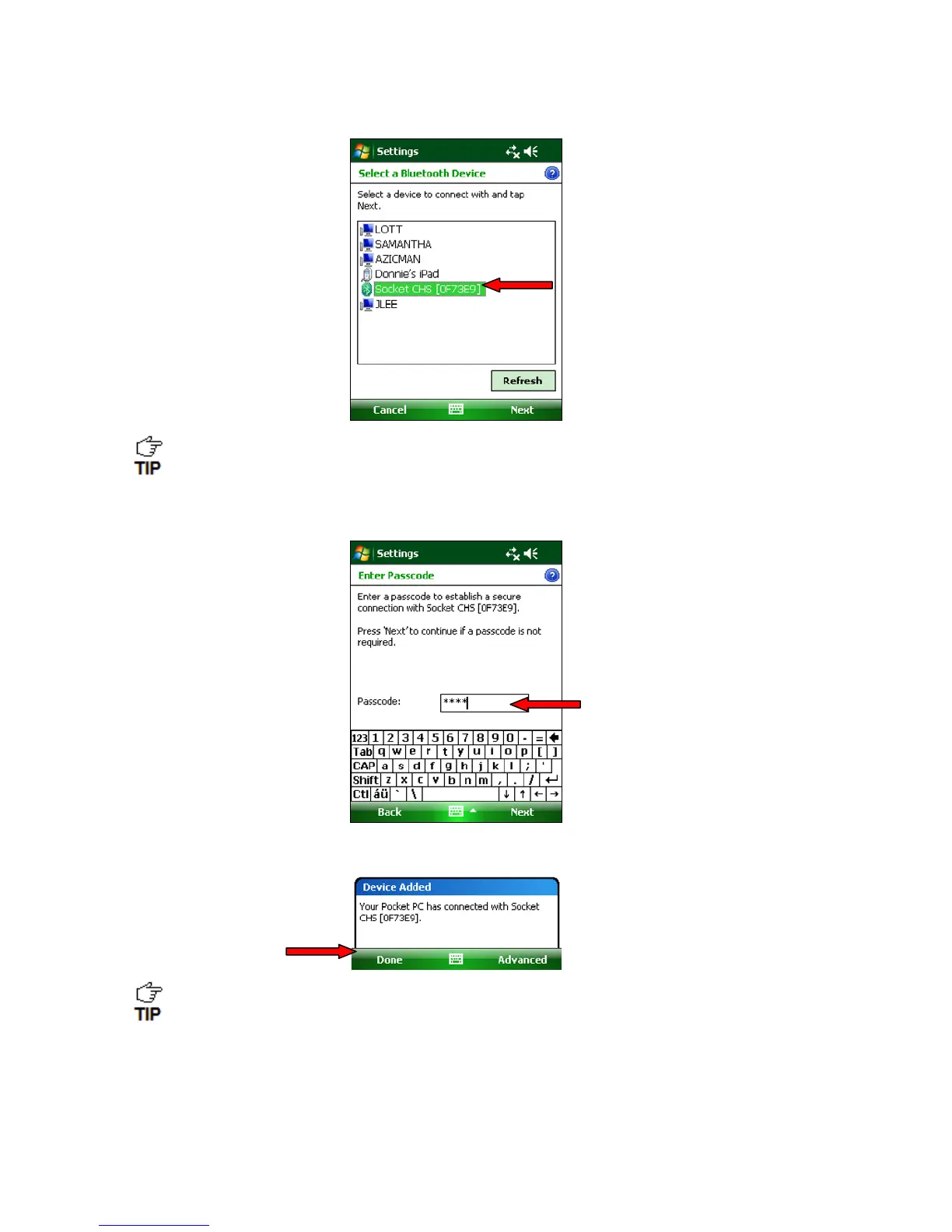
7. In the device list, tap on Socket CHS.
In the device search, the CHS will appear as Socket CHS [xxxxxx]. The characters in
brackets are the last six characters of the CHS Bluetooth Device Address (BDA),
which is labeled inside the battery compartment.
8. When prompted for a passcode, enter 0000 (four zeroes). Tap Next.
9. After the SoMo connects to the CHS, a message will confirm the connection. Tap Done.
The CHS will beep once when it has connected and is ready to scan barcodes.
The LED will also blink blue once every 3 seconds.
10. The CHS will now appear in the Bluetooth devices list. Tap ok.
11. Tap X to close the Connections screen.


 To Next Page