30
Scanner Settings
You can access Scanner Settings only when the CHS is connected to your computer.
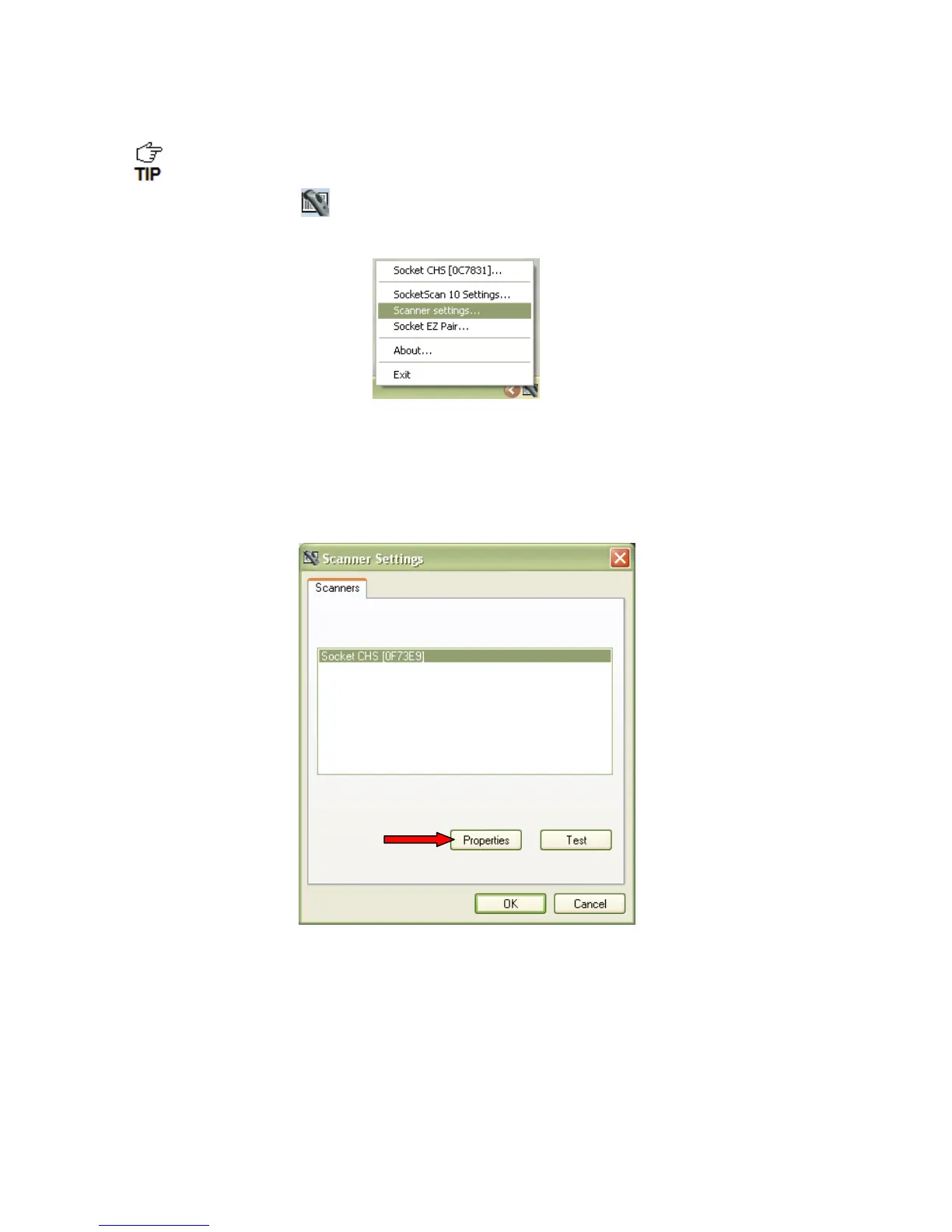
1. Click on the CHS icon
in the system tray. In the pop-up menu, click Scanner
settings…
2. The Scanner Settings screen will appear with an empty field. For the Microsoft and
Broadcom (Widcomm) Bluetooth stacks, the CHS will also beep twice when in
disconnects from SocketScan 10.
3. After a few seconds, the CHS will connect to Scanner Settings, indicated by a beep. Your
CHS will be listed on the screen. Make sure your CHS is selected, and click Properties.
4. The utility will read your scanner settings.


 To Next Page