CHAPTER 6: SETUP FOR ANDROID 65
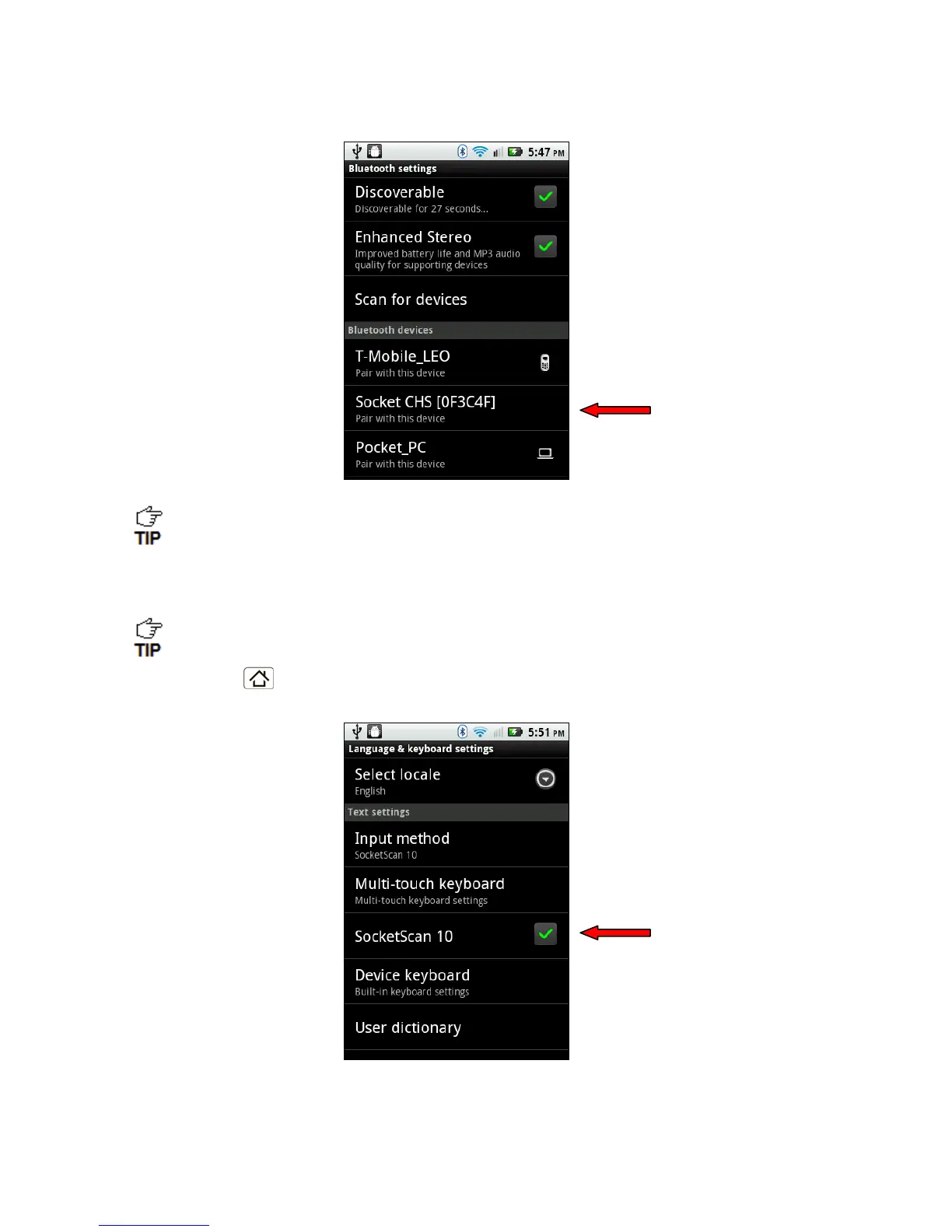
4. In the list of found devices, touch Socket CHS.
The CHS will appear in the Bluetooth search as Socket CHS [xxxxxx], where the
characters in brackets are the last 6 characters of the Bluetooth Device Address
(BDA), which is printed on a label inside the battery compartment.
5. If a pop-up appears, touch Pair with this device. If prompted for a passkey, enter 0000
(four zeroes).
Only phones running Bluetooth 2.0 will prompt for a passkey.
6. Touch Home
| Menu | Settings | Language & keyboard or Locale & text.
Make sure SocketScan 10 is selected.


 To Next Page