72
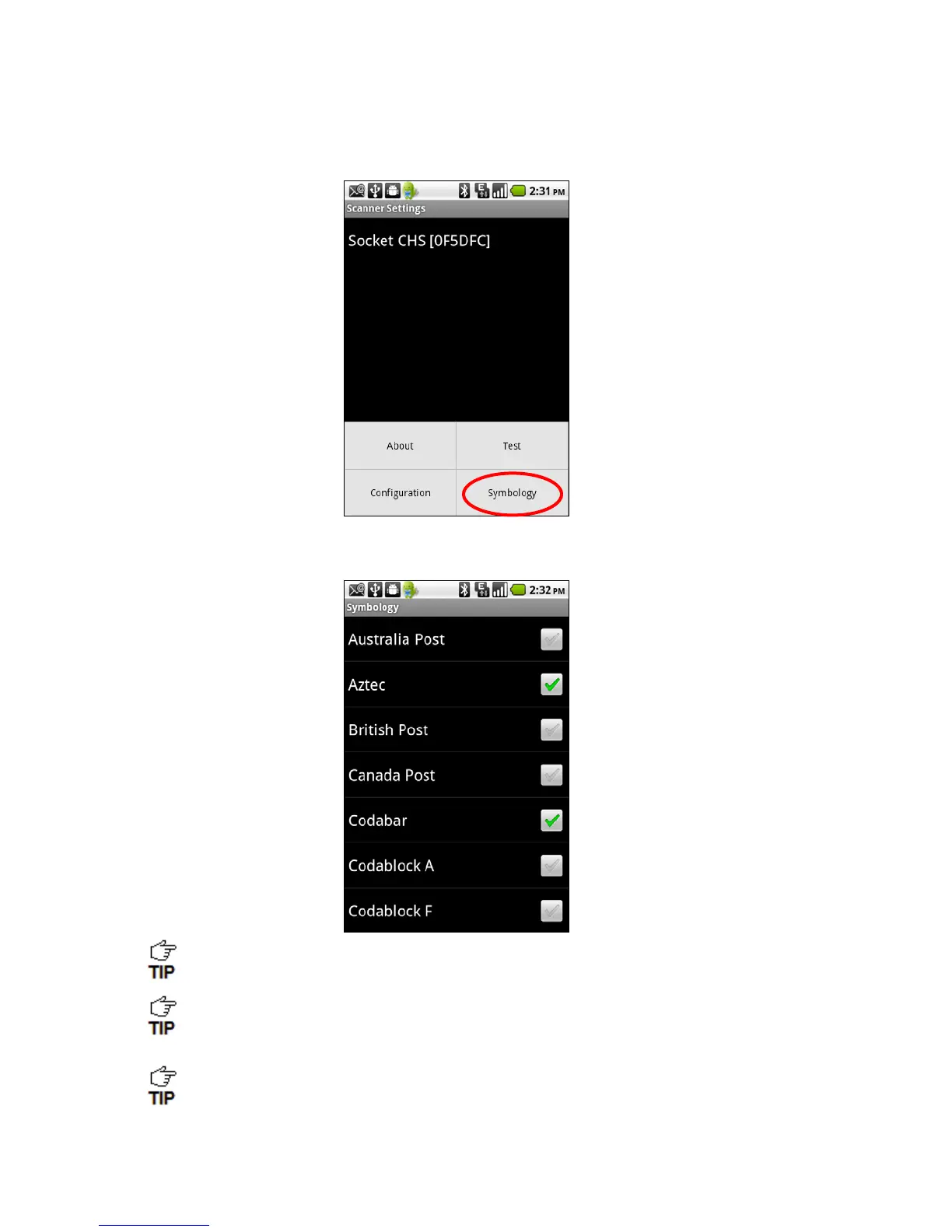
Symbology
1. In the main screen of Scanner Settings, touch Menu | Symbology.
2. In the Symbology screen, enable or disable the appropriate symbologies (barcode types).
Enabling all possible symbologies will make the decode process slightly longer.
The RSS symbology is now known as GS1 DataBar.
If you would like to read UPC-A symbols, be sure to disable GS1 DataBar so that
GS1 DataBar symbols don’t get mistakenly decoded.



 To Next Page