29
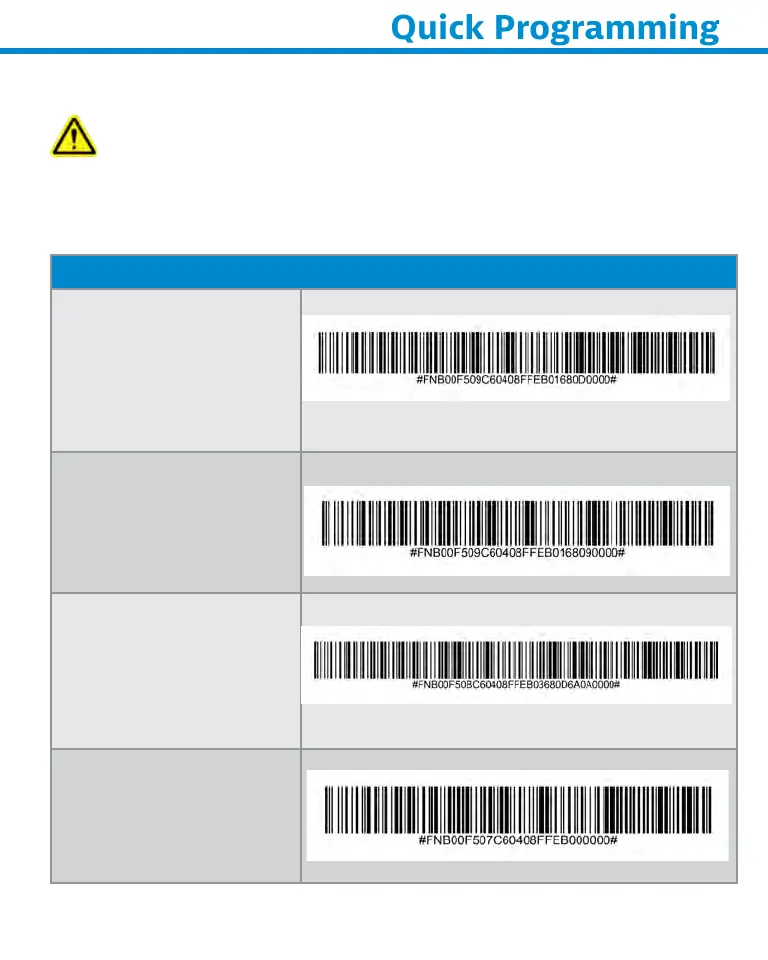
Scan command barcode(s) to quickly configure the Scanner.
Importnt Make sure the Scanner is not connected to a host
computer or device before scanning a command barcode!
For custom prefix and suffix, contact support@socketmobile.com
(Note: For the S730 laser barcode scanner print the barcode to scan).
Prefix/Suffix
Suffx- Crre
Return
(default) in Basic Mode
Configures the scanner
to add a carriage return
after decoded data.
Suffx- Tb
Configures the scanner
to add a tab after
decoded data.
Suffx- Crre
Return & Lne Feed
Configures the scanner
to add a carriage return
and line feed after
decoded data.
Dt As Is
Configures the scanner
to return only the
decoded data. (i.e., no
prefix or suffix).















 To Next Page