EasyManua.ls Logo

Socket CX3391-1849 - Page 32

Default Icon
56 pages
Print Icon
To Next Page IconTo Next Page
To Previous Page IconTo Previous Page
Loading...
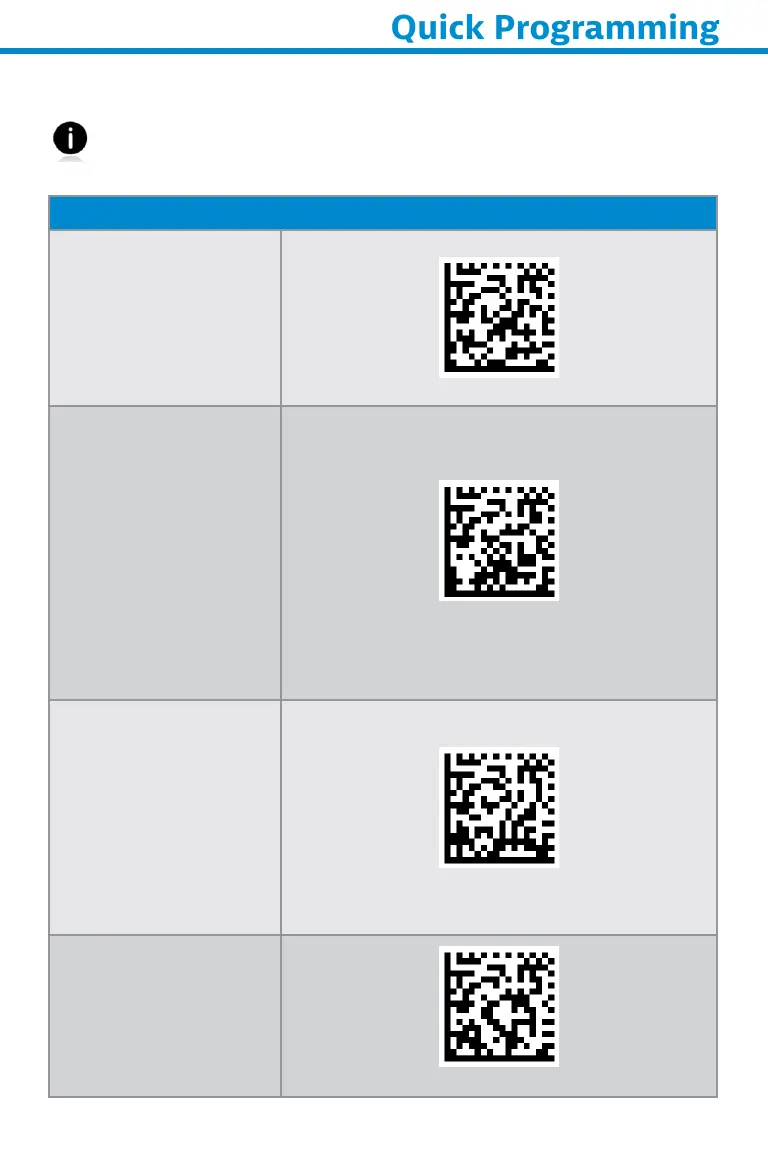
Scan one of the barcodes to configure the scanner to automatically
scan barcodes.
Command barcode is for model S740 and S760 only.
Presentation modes
Moble Mode
(defult)
Reverts back to
manual scan mode.
#FNB 41FBA50000#
Auto Mode
(recommended)
Configures the
sccanner to switch
to presentation
mode when power
is detected on the
charging pins. The
scanner will remain
on presentation mode
until the scan button
is pressed to exit the
mode.
#FNB 41FBA50003#
Detect Mode
Configures the
scanner to switch
to presentation
mode when power
is detected on the
charging pins. The
automatic scan will
continue until power
is removed.
#FNB 41FBA50002#
Stnd Mode
Scanner is
permanently in
presentation mode.
#FNB 41FBA50001#
32
Quick Programming

Related product manuals