10
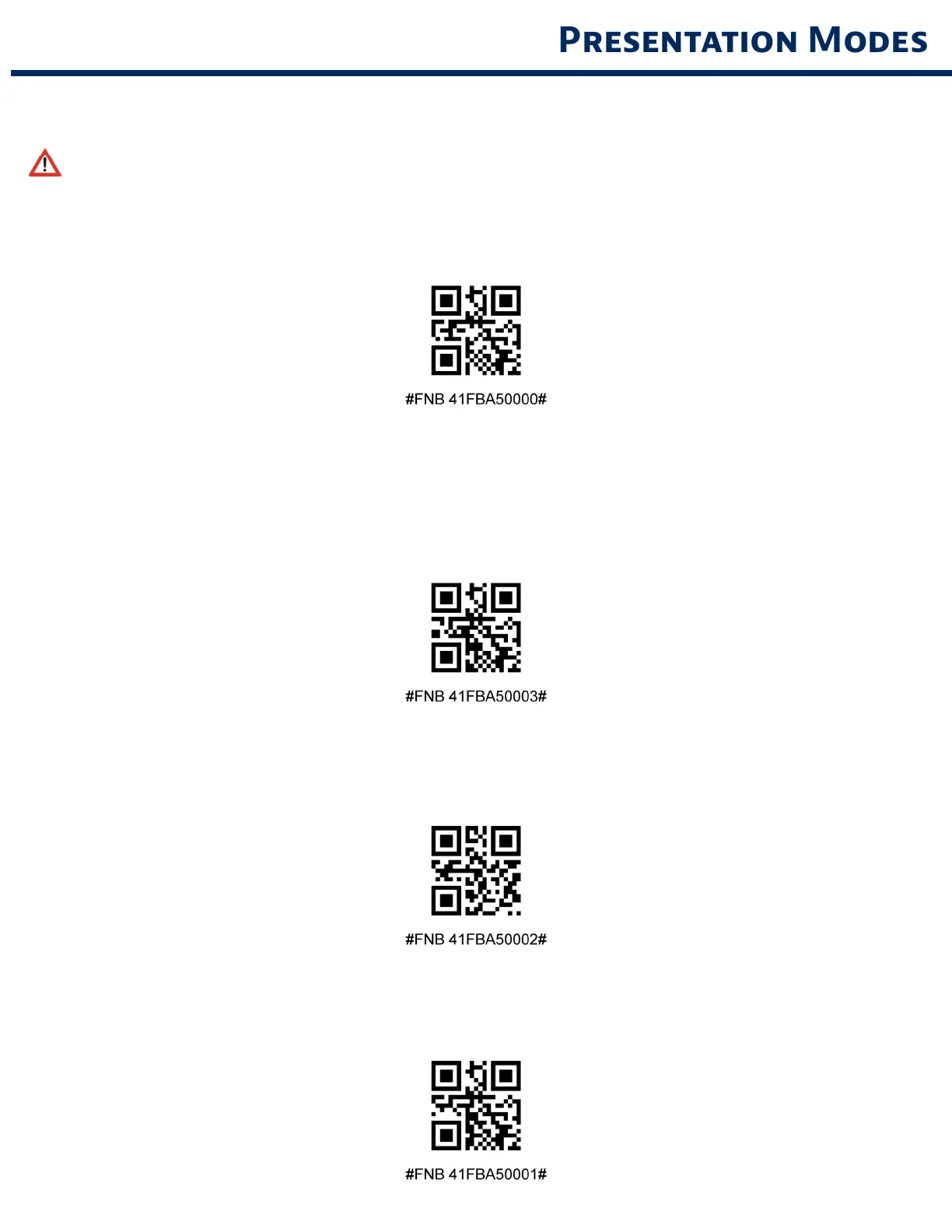
Scn one of the brcodes to confure the scnner to utomtcll scn brcodes
These settings drain the battery faster. Please ensure the scanner is charged daily.
Moble Mode (defult)
Reverts bc to mnul scn mode For model D740 nd S740 onl
Auto Mode (recommended)
Confures the scnner to swtch to presentton mode when power s detected on the chrn
pns The scnner wll remn on presenton mode untl the scn button s pressed to ext the
mode For model D740 nd S740 onl
Detect Mode
Confures the scnner to swtch to presentton mode when power s detected on the chrn
pns The utomtc scn wll contnue untl power s removed For model D740 nd S740 onl
Stnd Mode
Scnner s permnentl n presentton mode For model D740 nd S740 onl


 To Next Page