8
Scan only with scanner in Basic Mode (HID).
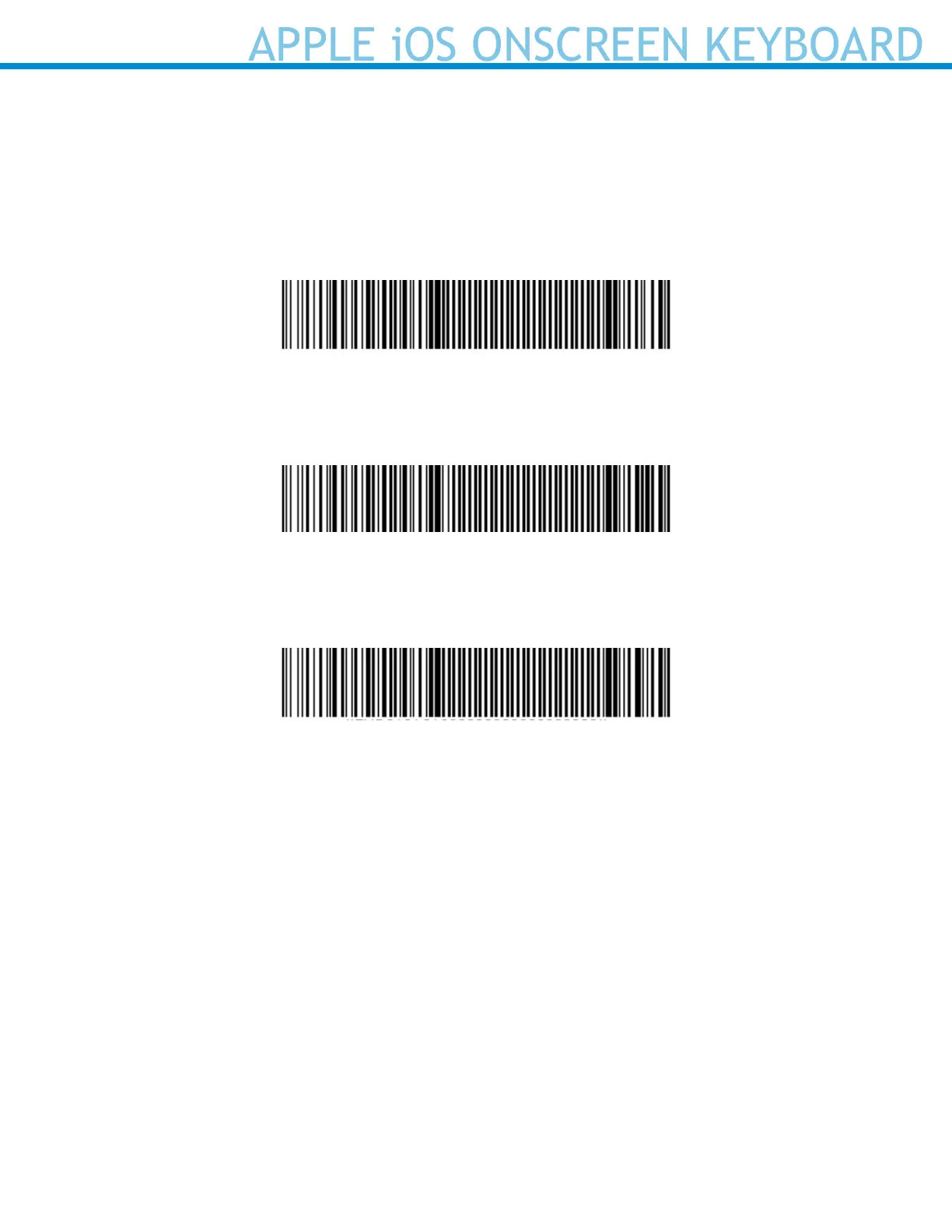
Apple iOS Onscreen Keyboard and Beep Enabled (Default)
Congures the scanner to activate the iOS onscreen keyboard when connected to an iOS device and the
scanner power button is double-pressed.
Disable both Onscreen Keyboard and Beep
#FNB013A0000000000000000000000000000#
Enable Beep
#FNB013A0500000000000000000000000000#
Disable Beep
#FNB013A0100000000000000000000000000#
APPLE iOS ONSCREEN KEYBOARD



 To Next Page