23
Featuring Celios Advanced Air Purification Technology
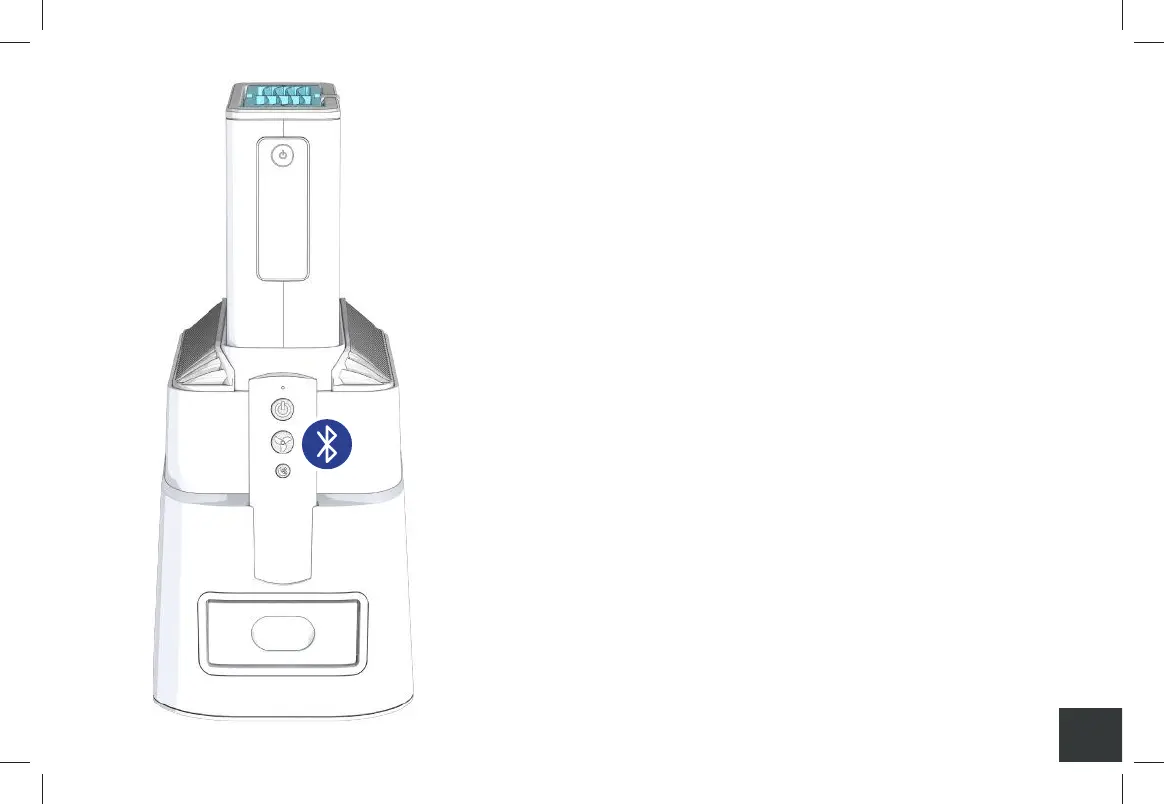
Pair the Remote Control with the Core
1. Install the provided two AAA batteries into
the Remote Control.
2. With the SoClean Air Purifier powered on, press
and hold the Core power button for 6 seconds.
The Core will beep and its power button will
begin to flash, indicating that it has entered
Bluetooth pairing mode.
3. While the Core is in pairing mode, turn on the
Remote Control by pressing its power button.
The light on the Remote will flash briefly,
indicating that it has also entered Bluetooth
pairing mode.
A000849-11_Rev C-SCAP IFU_7.5x5_NO 2400_011221.indd 23A000849-11_Rev C-SCAP IFU_7.5x5_NO 2400_011221.indd 23 1/12/21 10:09 AM1/12/21 10:09 AM


 To Next Page