25
Featuring Celios Advanced Air Purification Technology
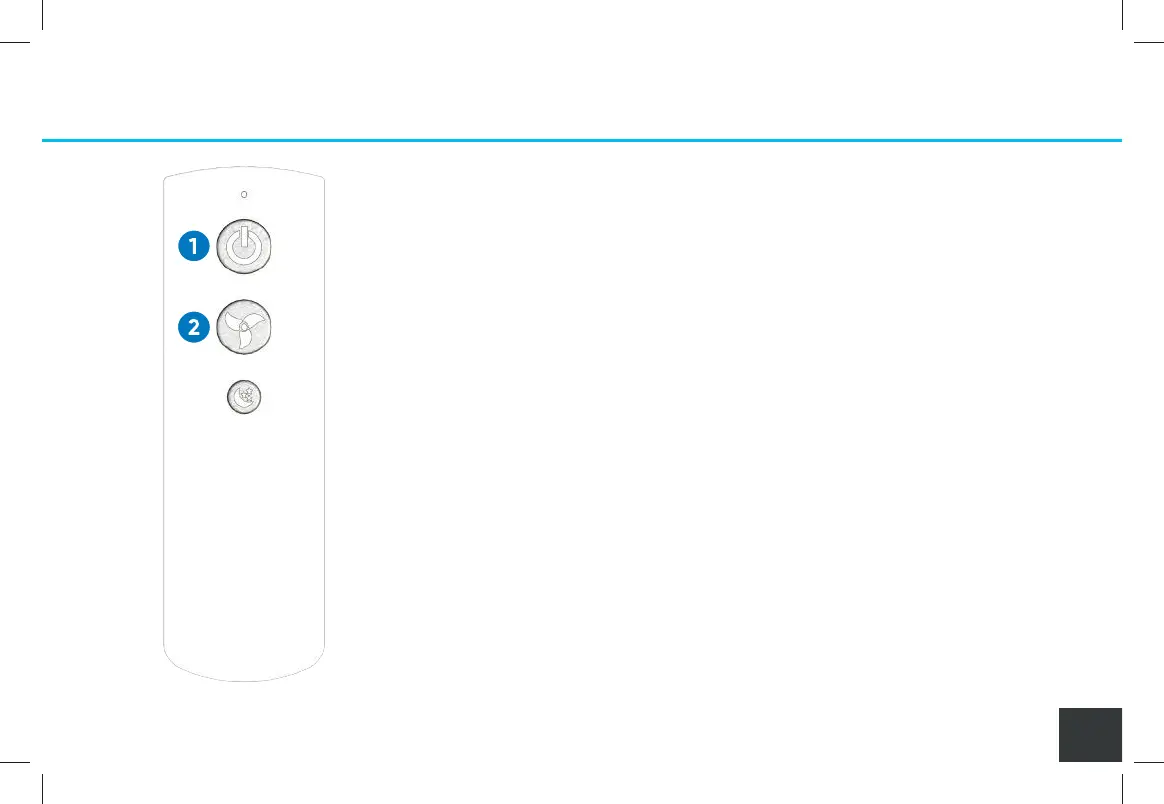
Remote Control Settings
You can control the SoClean Air Purifier settings from:
• The control panel on the Core
• The Remote Control
1. POWER BUTTON
Turns the SoClean Air Purifier on and o.
2. FAN SPEED BUTTON
To select the fan speed you desire, lightly press
the fan speed button on the control panel or
Remote Control to cycle through the speed settings.
The SoClean Air Purifier operates at four fan
speeds, so you can adjust the speed to best
meet your needs.
A000849-11_Rev C-SCAP IFU_7.5x5_NO 2400_011221.indd 25A000849-11_Rev C-SCAP IFU_7.5x5_NO 2400_011221.indd 25 1/12/21 10:09 AM1/12/21 10:09 AM


 To Next Page