27
Featuring Celios Advanced Air Purification Technology
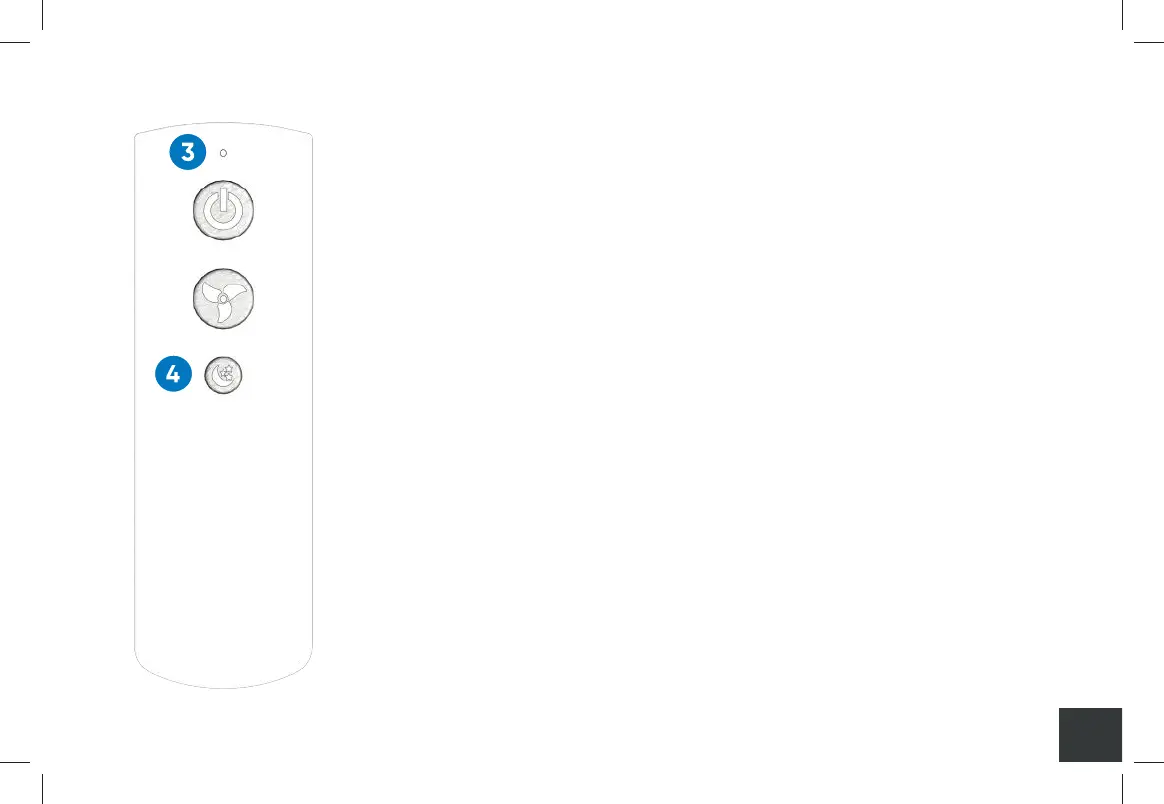
3. INDICATOR
With functioning AAA batteries, the indicator will illuminate
with each press of a button on the Remote Control. The
light also flashes during pairing. If the light does not
illuminate, please check or change the AAA batteries.
4. NIGHT MODE BUTTON
The night mode button controls the display panel
illumination. This option is only accessible via the remote
control. To operate the night mode:
1. Press the night mode button on the Remote Control
to turn o the display lights.
2. Press the night mode button again to turn the display
lights to 100%.
3. Pressing the button a third time will turn the display
lights to 50%.
A000849-11_Rev C-SCAP IFU_7.5x5_NO 2400_011221.indd 27A000849-11_Rev C-SCAP IFU_7.5x5_NO 2400_011221.indd 27 1/12/21 10:09 AM1/12/21 10:09 AM


 To Next Page