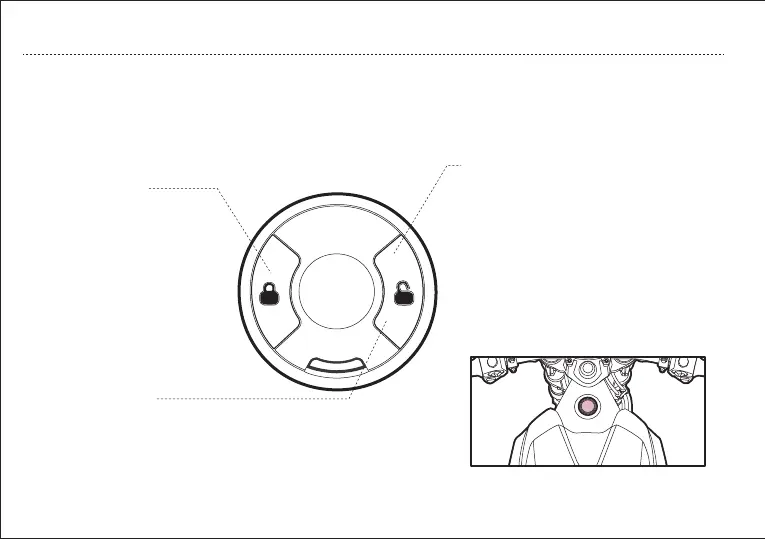
d. Lock Button
e. Unlock Button
Press the “Unlock” button gently, the power button is steady on,
and the vehicle enters the unlocked state.
f. Power Button
After unlocking the vehicle via Intelligent
Remote Control, press the “POWER” button,
the power is on, press again, the power is off.
When the middle word is flashing, the
vehicle enters the locked state.
When the middle word is steady on, the
vehicle enters the unlocked state.
When the outer ring light is steady on, the
vehicle enters power-on state.
TC-MAX is equipped with second generation SOCO Intelligent Remote Control, with a press of the button, you can lock or
unlock the vehicle within effective distance.
When the vehicle is in a stationary
state, press the “Lock” button
gently, the power button blinks,
and the vehicle enters the locked
state.
OPERATION GUIDE
c. Intelligent Remote Control Operation
17


 To Next Page