1
2
3
13
R
1 3
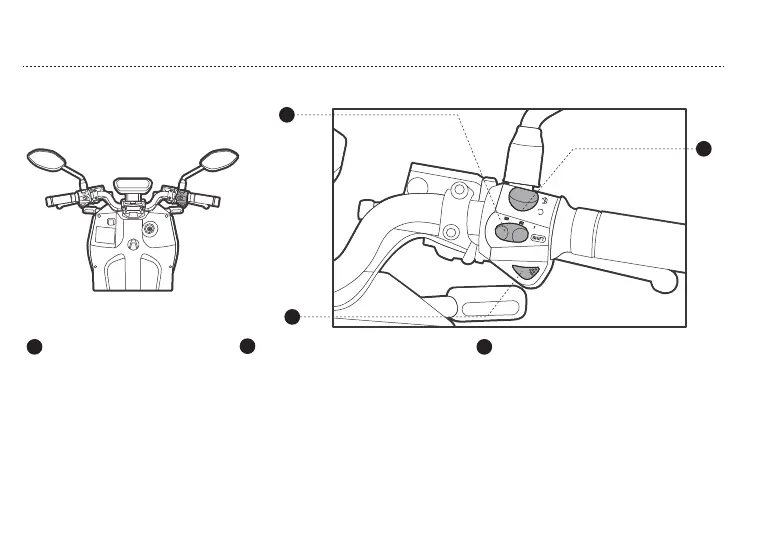
Forward reverse switchMode switch
2
Parking switch
VS1 is set with 3 modes: 1: ECO
mode 2: NORMAL mode 3: SPORT
mode. Position at left, mode 1;
position in the middle, mode 2;
position at right, mode 3.
Press the parking switch up,VS1 at
parking position,parking indicator
(P) light on;press the park switch
down display (READY) ,VS1 at
unparking status.
Gently press two times forward reverse switch
R,display mode number change to “F”,VS1 is
ready to move forward,turn accelerator
gently,VS1 can drive forward;press again,VS1
in reverse position,keep pressing “R”
button,turn accelerator gently,VS1 can move
backward;press again,display show mode
number as normal, VS1 in normal driving
position.
OPERATION GUIDE
b. RIGHT SWITCH



 To Next Page