14
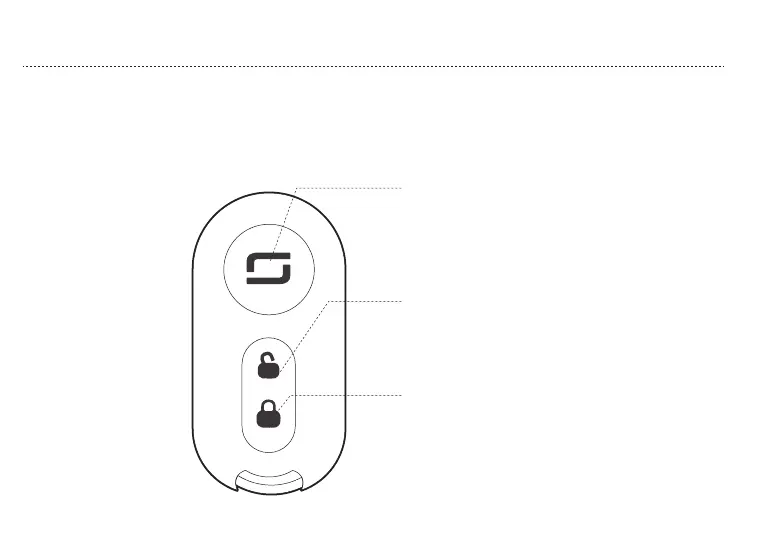
3. LOCK
2. UNLOCK
1. Key less start
After unlocking VS1 via remote control, press the
“POWER”, power on, press again, power off
When VS1 in resting state, press “LOCK”, “POWER”
flash, VS1 locked.
When VS1 in lock state,press “UNLOCK”, “POWER”
continuously on,VS1 unlocked.
VS1 use second generation smart remote control, within 50 meter radius, press the button, can lock or unlock your VS1.
c. REMOTE CONTROL
OPERATION GUIDE



 To Next Page