15
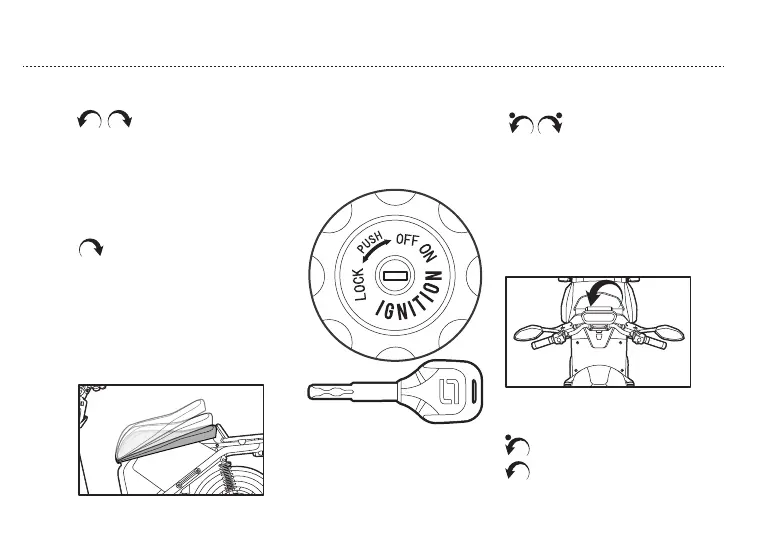
d. Mechanical key
1. Mechanical key start
2. HANDLEBAR LOCK
3. Open storage & seat
After unlocking VS1 via remote
control,turn the key to “ON”posi-
tion,power on,turn the key back to
“OFF” position,power off.
Put in the key and press then turn left
Put the key in then turn left
1.VS1 in parking position, turn
handlebar to the extreme left position,
put key in handlebar lock, and turn the
key to right position, handlebar locked.
2.Put the key in handlebar lock, turn the
key to left position, handlebar unlocked.
Put key in storage&seat lock, turn
key to right direction, when hear
sound “click”, storage&seat open.
Press “unlock” 3s via remote
control, when hear sound “click”,
storage&seat open.
OPERATION GUIDE



 To Next Page