Red = remaining battery power is poor (25% - 50%).
Flashing Red = critical power (0%-25%), please replace or recharge battery
as soon as possible.
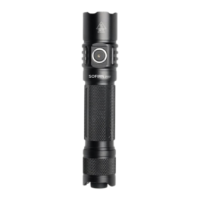
After turning SC28 on, the red indicator flashes to prompt when the remaining battery
power is less than 25%.
Light Indicator When Charging
Red = Charging
Green = Fully Charged
The flashlight automatically shuts down when running out of battery, please recharge
it as soon as possible or press the tail switch to make it in the off state
Note: Please turn off the flashlight when charging.
General Operation
SC28 features a tactical switch with momentary operation (light press or tap) and
constant on operation (press until click).
CHANGE BRIGHTNESS LEVEL:
Option 1: From Off, tap or half press the tail switch to choose brightness.
Option 2: From On, fast double-click the tail switch to change brightness.
ACCESSING DIFFERENT PROGRAMS:
There are 3 programs for different using scenarios.
Program 1: Moonlight (1 Lm)→Low (100 Lm)→Medium (350 Lm)→High (1200
Lm)→Turbo (2800 Lm)
Program 2: Turbo (2800 Lm)→Strobe (2800 Lm)→Medium (350 Lm)
Program 3: Moonlight (1 Lm)→Low (100 Lm)→Medium (350 Lm)
To toggle through these 3 programs, turn on and continue holding the switch for 5
seconds. When the light flashes, then quickly double-click to advance to the next
program. Additional double-clicks will continue advancing. When finished, the light


 To Next Page