copyright by www.soflow.com
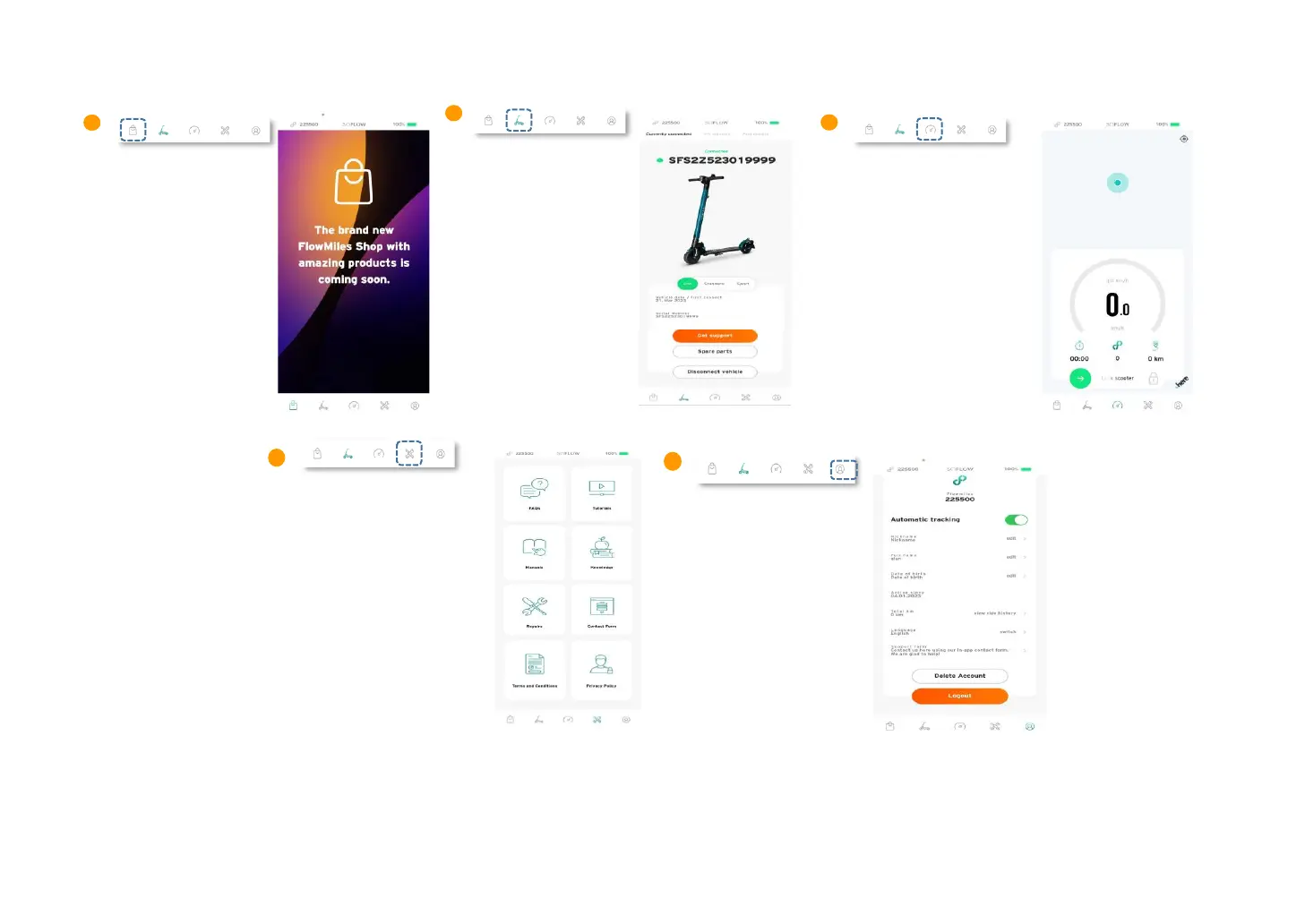
Once you have successfully connected your scooter, you find the following functions in your app:
This site shows you
information about battery
status, current speed, travel
distance and total mileage.
You can lock and unlock your
scooter by swiping up in the
dash board menu.
Eco – Standard – Sport.
Further down you find
the Support function,
further information
regarding spare parts as
well to disconnect the
scooter.
additional information
about your ride history,
enter the settings, read the
manual or visit the official
website.
Here you can see your
earned flowmiles and your
personal data. The ride
history can be view when
you activate the atomiatc
tracking function.
The menu list below shows
five icons. The first icon
show the FlowMiles Shop
where you can use your
FlowMiles to get more
amazing SoFlow products.


 To Next Page