Troubleshooting Homing Sensors
Typically, when homing is not working correctly, the homing sensors rarely fail and it is one of these
three things:
1. The homing sensor cable has been pinched
a. Using the instructions and diagrams below in Removing Homing Sensor Cable to remove
the worm block cover of the axis that is not homing and look for a pinched cable. This
can happen if the worm block cover is replaced and the homing sensor isn’t moved out
of the way.
2. The homing sensor has grease in it
a. If too much grease has been put on the gear, then the extra grease can be transferred
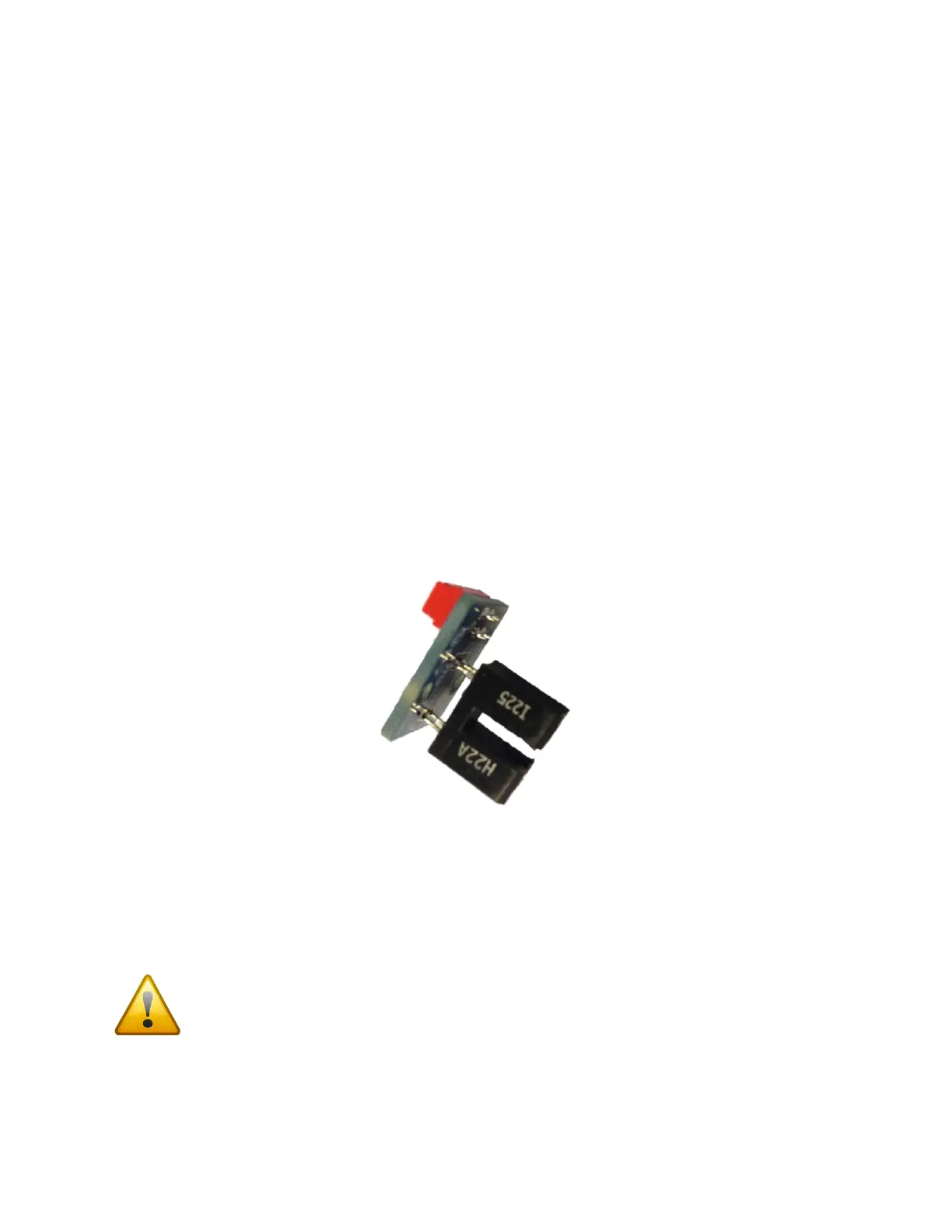
from the gear to the homing sensor during use of the mount. See Figure 8 for what the
homing sensor looks like. Follow the steps below in Replacing a Homing Sensor to get
access to the sensor. The sensor cable can stay plugged in to help grab the sensor to
both uninstall and to install. Inspect the sensor for any grease in between the black “U”
(see Figure 1).
3. The homing sensor has been damaged
a. Follow the steps from #2 above and make sure the sensor is not damaged or bent in any
way.
Figure 1: Sensor PCB
Replacing a Homing Sensor
To just replace a homing sensor and not the cable, follow Step 1: Remove the Worm Block Covers and
Step 2: Unplugging the Sensor Electronics below. These two steps give you access to the homing sensor.
Tape over the hole that gives access to the cables going in to the mount so screws cannot
fall in to the tube for either axis.



 To Next Page