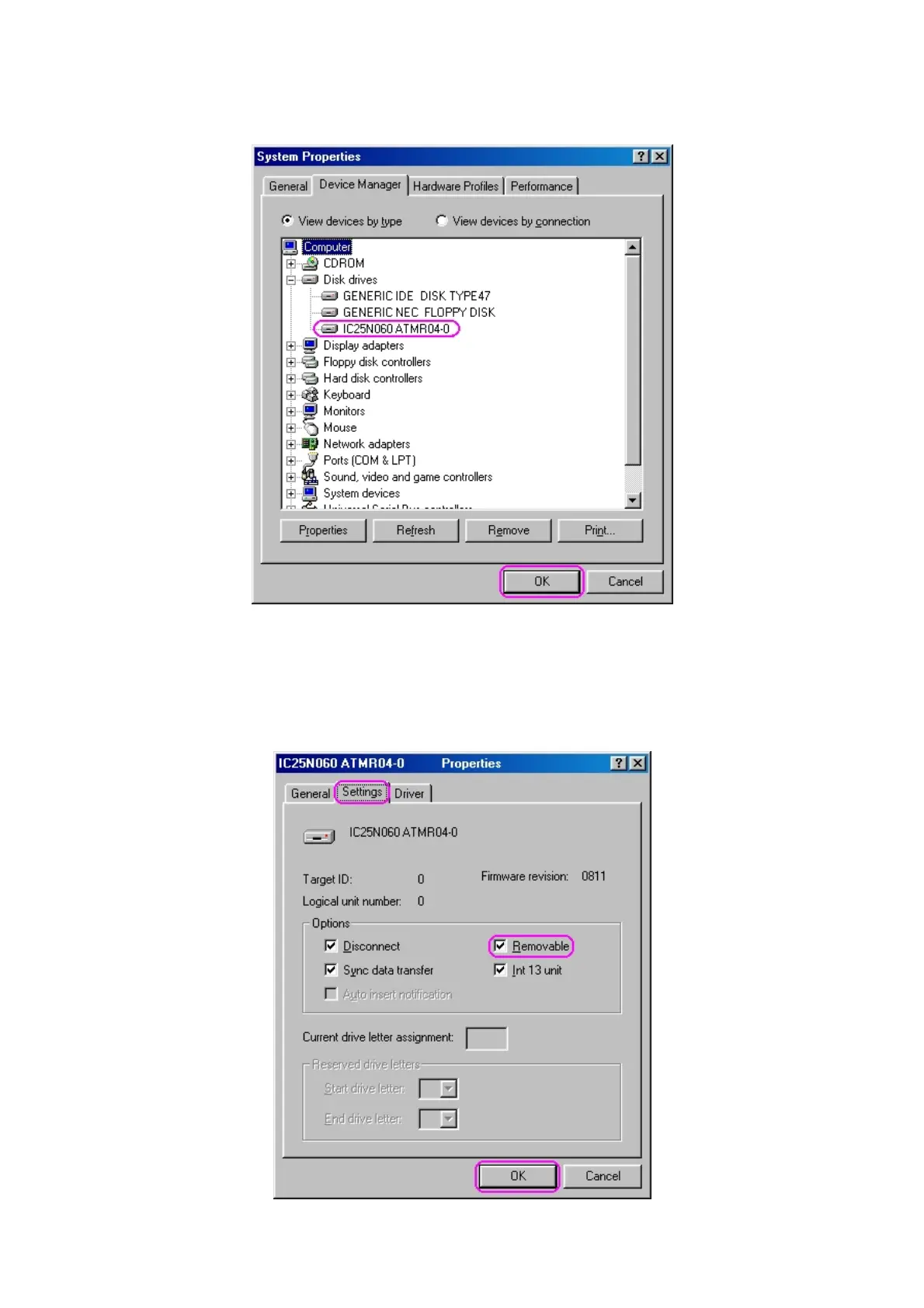
4. Check your Device Manager in system properties to confirm proper installation of mobile disk,
your hard drive type will list in “Disk Drives”, see following photo for example.
5. In Windows
®
98, you need to set the new storage device as a “Removable” device so Windows
can recognize and display a Removable Disk icon in “My computer”. If your system cannot reveal
this icon, please select your new disk drive then click properties for next setting. Select “Settings”
tab and check【Removable】item, click “OK” to next.
- 6 -



 To Next Page