INSTALLATION
GUIDE
MODEL
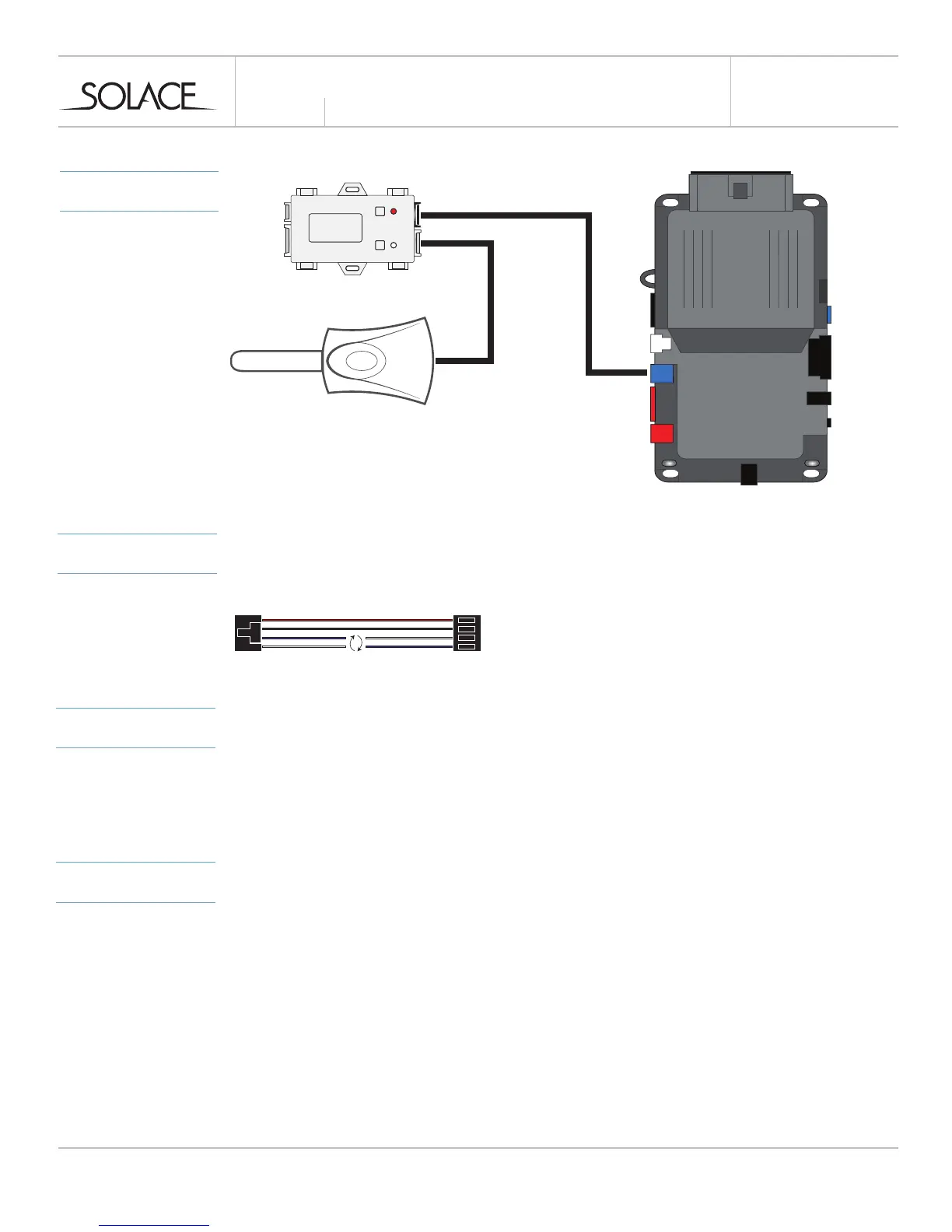
CONNECTIONS
solaceremotestarters.com
REV112316
SIC3-RFK & iDATASTART HC
*Ignition supported through data
**
PROGRAMMING
PROGRAMMING REMOTES
1 Follow programming guide to program remotes to SIC3-RFK
2 There is no other programming required.
PROGRAM SIC3-RFK DATA PROTOCOL TO OPTION 2 - IDATA TELEMATICS
1 Open “Weblink Program”
2 Choose Year / Make / Model
3 Select iDatastart RF Kit & Drone
4 Configure module and Flash firmware
NOTES
**IMPORTANT - DATA CABLE MODIFICATION REQUIRED
1 Please see diagram below on how to modify SIC3-RFK cable for functionality.
Swap the BLUE & WHITE wires on one end of the cable or cut and reconnect.
PROGRAMMING
MODULE



 To Next Page