App Bulletin 100
Dec 06, 2011 2
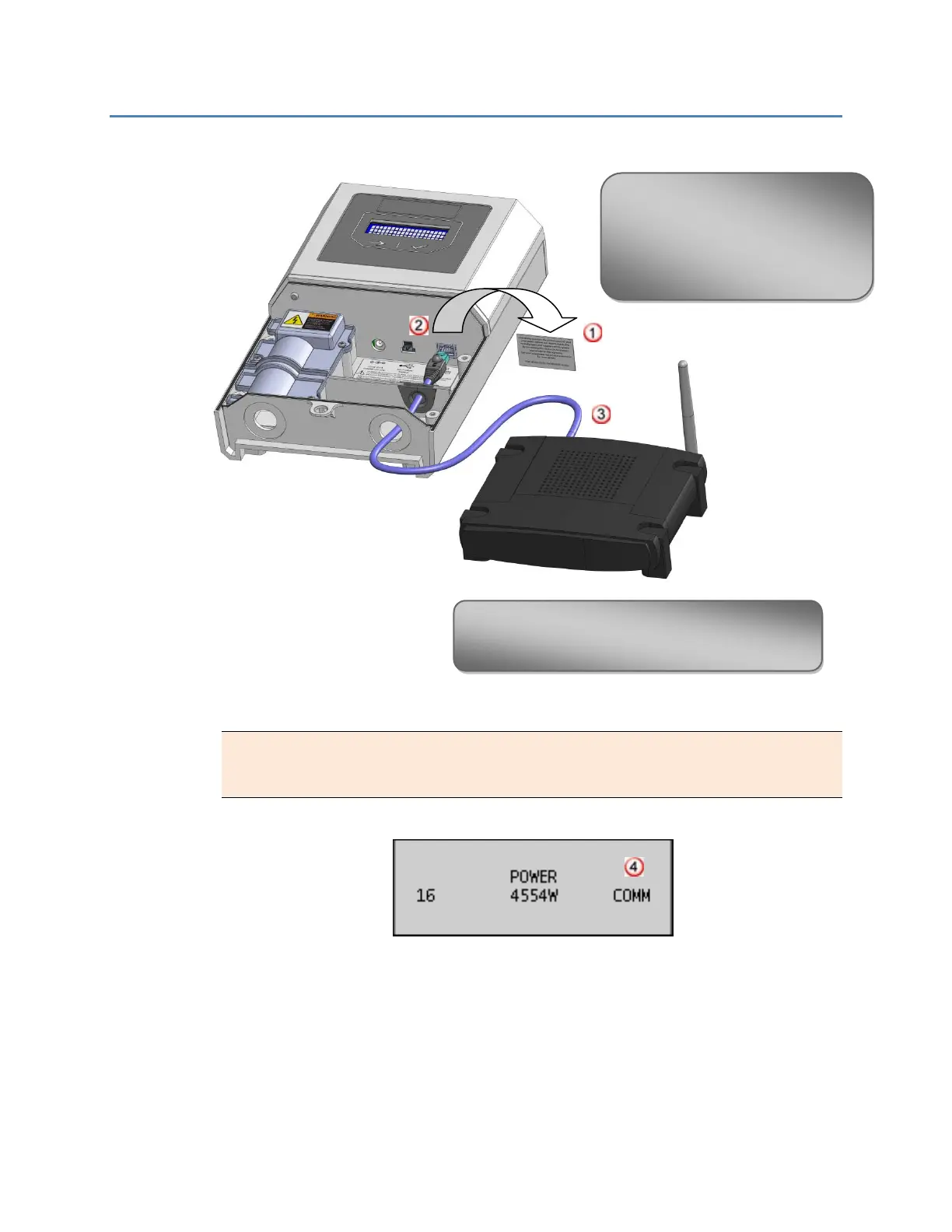
1. Best Practice – Ethernet Cable Directly from Power Manager to Network Router
NOTE: If the Power Manager is already running (data displayed on the LCD) before
connecting the Ethernet cable, use the LCD buttons to navigate to the Setup menu.
Select Refresh IP to connect to the router.
Successful Internet Communications
1. Remove the Consent to Share label.
2. Plugging the Ethernet cable into the
Ethernet port on the Power
Manager.
3. Plug the other end of the Ethernet
cable into the network router.
4. Verify the Power Manager LCD home screen displays
COMM, which indicates successful Internet
communications, usually within 5 minutes.



 To Next Page