5.
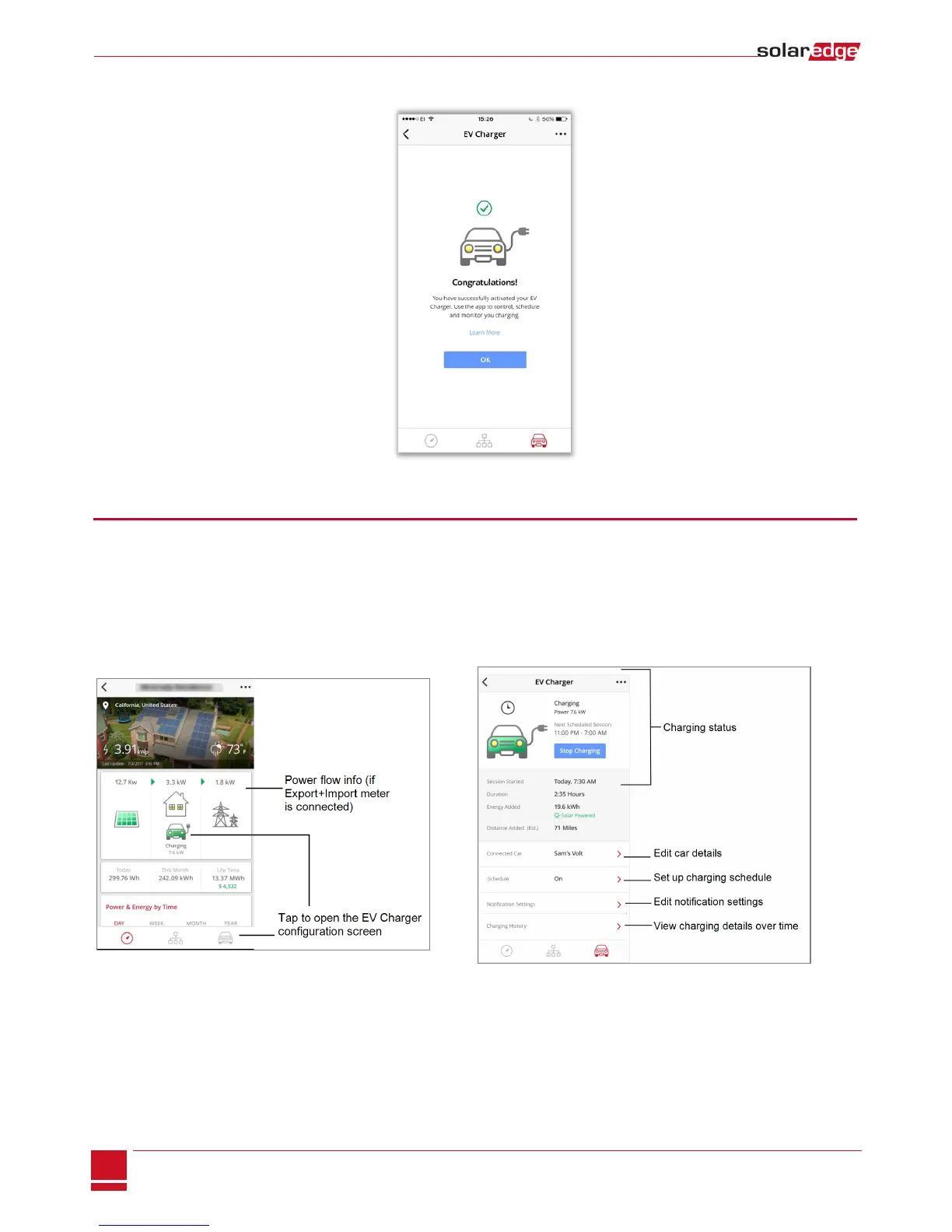
When the EV Charger is activated and ready for configuration, the following screen is displayed. Tap OK.
Figure 6: EV Charger activated
EV Charger Configuration and Monitoring
1. Before starting, make sure that:
l The inverter is installed and activated (refer to the Inverter Installation Guide)
l The EV Charger Cable is installed
l The EV Charger activation is complete
2. Access the SolarEdge monitoring app.
3.
Tap the car icon to access the EV Charger configuration screens.
Following is a description of the functionality of each of the EV Charger configuration screens.
EV Charger Cable Installation and EV Charger Configuration MAN-01-00445-1.1
4
EV Charger Cable Installation and EV Charger Configuration



 To Next Page