EasyManua.ls Logo

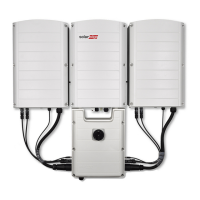
SolarEdge SE66.6K - User Manual

SolarEdge SE66.6K
105 pages
Print Icon
To Next Page IconTo Next Page
Loading...
Installation Guide
Three Phase Inverters with
Synergy Technology
with SetApp Configuration
PN: SExxK-xxxxIxxxx
For North America
Version 1.3

Table of Contents

Questions and Answers

  • C
    Corey ReynoldsAug 13, 2025
    Why has pairing failed on my SolarEdge SE66.6K?
    • S
      Shelia StoutAug 13, 2025
      If pairing failed on your SolarEdge Inverter, it might be because the power optimizers are shaded. If you connected the inverter to the SolarEdge monitoring platform, retry pairing remotely during sunlight. Make sure to leave the inverter ON/OFF switch ON and that S_OK appears in the status screen.
  • D
    Deborah TaylorAug 16, 2025
    What to do if SolarEdge SE66.6K Inverter gateway is not responding?
    • C
      Christina GreenAug 17, 2025
      If the SolarEdge Inverter gateway is not responding, check the physical connection to the switch/router and ensure the link LED at the router/switch is lit. If it is, contact your network IT. Otherwise, replace the cable or change it from a cross to a straight connection.
  • D
    Dr. Travis Austin DDSAug 20, 2025
    What to do if SolarEdge SE66.6K shows No DHCP?
    • C
      cheryl99Aug 20, 2025
      If the SolarEdge Inverter displays 'No DHCP', check the router and its configuration, or consult your network IT. Alternatively, configure a static IP or set the inverter to DHCP.
  • D
    David WilsonAug 27, 2025
    Why is SolarEdge SE66.6K Inverter PV string voltage lower than expected?
    • J
      James SnyderAug 27, 2025
      If the SolarEdge Inverter PV string voltage is not 0V but lower than the number of Power Optimisers, ensure all Power Optimisers are connected. Also, check if the panels are properly connected to the Power Optimiser inputs. Finally, check the PV string polarity using a voltmeter and correct if needed.
  • M
    Mrs. Carrie Rodriguez DDSAug 31, 2025
    Why is the string voltage higher than the number of optimizers on my SolarEdge SE66.6K Inverter?
    • F
      fletcherjohnathanSep 1, 2025
      If the string voltage of your SolarEdge Inverter is higher than the number of optimizers, it could be due to several reasons. First, check if an extra power optimizer is connected in the string. If not, verify that only power optimizers are connected in the string and that no module outputs are connected without a power optimizer. In addition, a power optimizer might be malfunctioning: disconnect the wires connecting the power optimizers in the string and measure the output voltage of each power optimizer to locate the one that does not output 1V safety voltage. If a malfunctioning power optimizer is located, check its connections, polarity, module, and voltage. Contact SolarEdge Support if needed, and do not continue before replacing the malfunctioning power optimizer.
  • J
    Jonathan VargasSep 4, 2025
    What to do if the string voltage is lower than the number of optimizers in my SolarEdge SE66.6K Inverter?
    • C
      Chad PaulSep 5, 2025
      If the string voltage of your SolarEdge Inverter is not 0V but lower than the number of optimizers, it could be due to several reasons. Ensure all power optimizers are connected in the string. Also, check that the modules are properly connected to the power optimizer inputs. Finally, verify the string polarity using a voltmeter and correct it if needed.
  • K
    Kelli WalkerSep 8, 2025
    How to fix a 0V string voltage on my SolarEdge SE66.6K Inverter?
    • H
      hharveySep 8, 2025
      If the string voltage of your SolarEdge Inverter is 0V, it indicates that the power optimizer output(s) are disconnected. Connect all power optimizer outputs to resolve this issue.
  • D
    Debbie HillNov 23, 2025
    What to do if SolarEdge SE66.6K PV string voltage is higher than expected?
    • D
      Dana CrossNov 23, 2025
      If the SolarEdge Inverter PV string voltage is higher than the number of Power Optimisers, first check if an extra Power Optimiser is connected in the PV string. If not, verify that only Power Optimisers are connected in the PV string and that no module outputs are connected without a Power Optimiser. If the problem persists, disconnect the wires connecting the Power Optimisers in the PV string and measure the output voltage of each Power Optimiser to locate the one that does not output 1V safety Voltage. If a malfunctioning Power Optimiser is located, check its connections, polarity, module, and Voltage. Contact SolarEdge Support and replace the malfunctioning Power Optimiser. If a malfunction cannot be bypassed or resolved, skip the malfunctioning Power Optimiser, thus connecting a short...

Summary

Handling and Safety Instructions

Important Safety Instructions

Critical safety guidelines and warnings for installation and operation to prevent injury or damage.

Chapter 2: Installing the Power Optimizers

Optimizer Safety and Installation Guidelines

Covers safety precautions, package contents, and general installation guidelines for Power Optimizers.

Chapter 3: Installing the Synergy Manager and Synergy Units

Chapter 4: Connecting PV Modules and AC to the Synergy Manager

Connecting PV Arrays and Strings

Instructions for connecting PV strings and arrays to the Synergy Manager via DC terminals.

Chapter 5: Setting Up Communication with the Monitoring Platform

Chapter 6: Activating, Commissioning and Configuring the System

On-grid Inverter Activation and Commissioning

Procedures for activating and commissioning the inverter when connected to the utility grid.

Appendix A: Errors and Troubleshooting

Identifying and Diagnosing System Errors

Methods for detecting and diagnosing system errors using inverter LEDs and the monitoring platform.

Power Optimizer and Communication Troubleshooting

Guide to resolving common issues with Power Optimizers and communication system failures.

Appendix B: Maintenance

SolarEdge SE66.6K Specifications

General IconGeneral
TypeString Inverter
Rated AC Power66.6 kW
AC Output Power66.6 kW
Max. Input Voltage1000 V
Operating Temperature Range-25 to +60 °C
Cooling MethodForced Air
Ingress ProtectionIP65
Nominal AC Voltage400 Vac

Related product manuals