60
Solarpower24.it by Barba S.r.l. – via Locchi, 3F – 47122-Forlì – Italia
Tel/What’s up +39 05431995799 – web www.solarpower24.it – email solarpower24@solarpower24.it
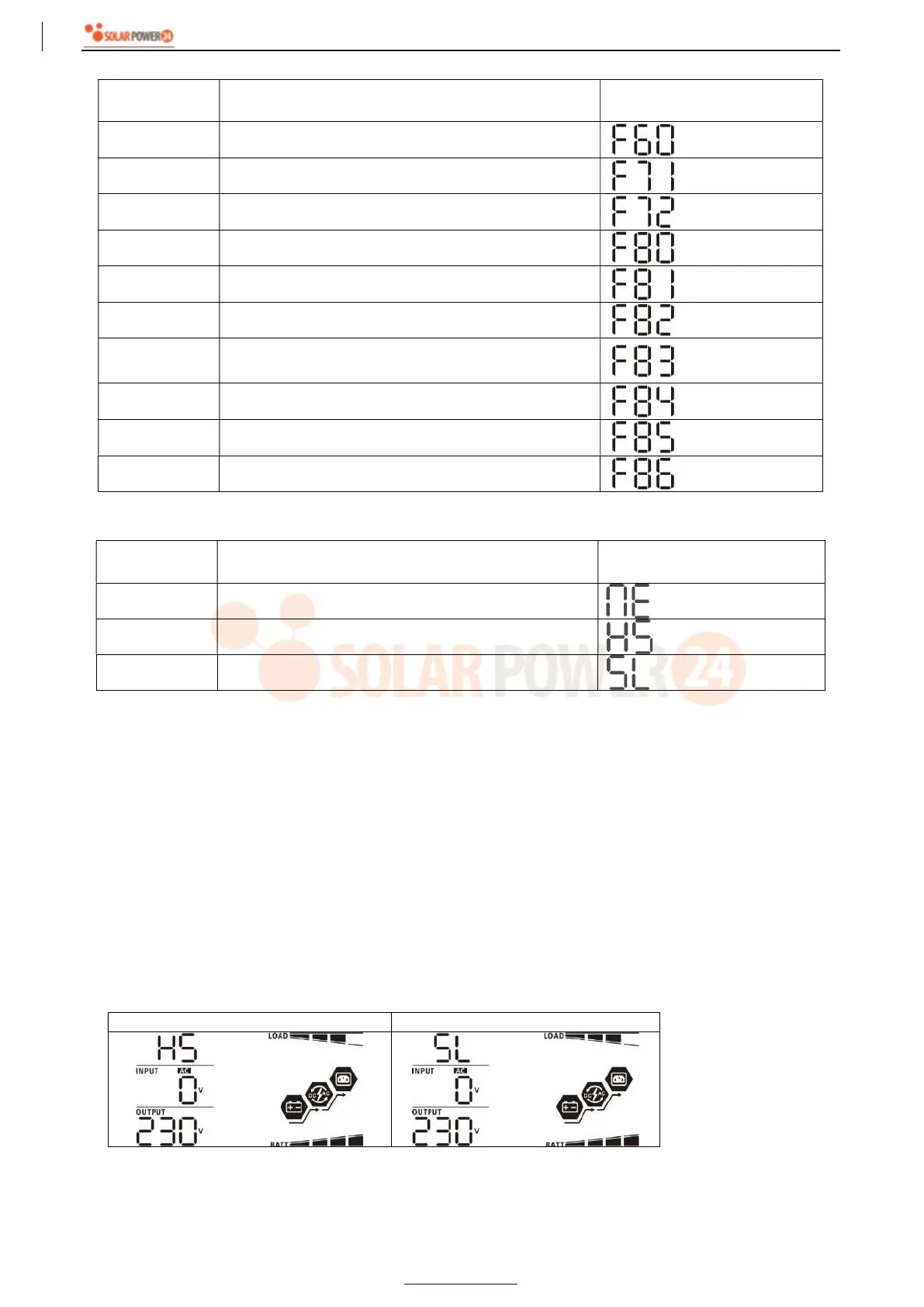
Fault code display:
Fault Code Fault Event Icon on
60 Power feedback protection
71 Firmware version inconsistent
72 Current sharing fault
80 CAN fault
81 Host loss
82 Synchronization loss
83 Battery voltage detected different
84 AC input voltage and frequency detected different
85 AC output current unbalance
86 AC output mode setting is different
Code Reference:
Code Description Icon on
NE Unidentified unit master or slave
HS Master unit
SL Slave unit
7. Commissioning
Parallel in single phase
Step 1: Check the following requirements before commissioning:
Correct wire connection
Ensure all breakers in Line wires of load side are open and each Neutral wires of each unit are connected
together.
Step 2: Turn on each unit and set “PAL” in LCD setting program 28 of each unit. And then shut down all units.
NOET: It’s necessary to turn off switch when setting LCD program. Otherwise, the setting cannot be
programmed.
Step 3: Turn on each unit.
LCD display in Master unit LCD display in Slave unit
NOTE: Master and slave units are randomly defined.
Step 4: Switch on all AC breakers of Line wires in AC input. It’s better to have all inverters connect to utility at



 To Next Page