13
Solarpower24.it by Barba S.r.l. – via Locchi, 3F – 47122-Forlì – Italia
Tel/What’s up +39 05431995799 – web www.solarpower24.it – email solarpower24@solarpower24.it
Final Assembly
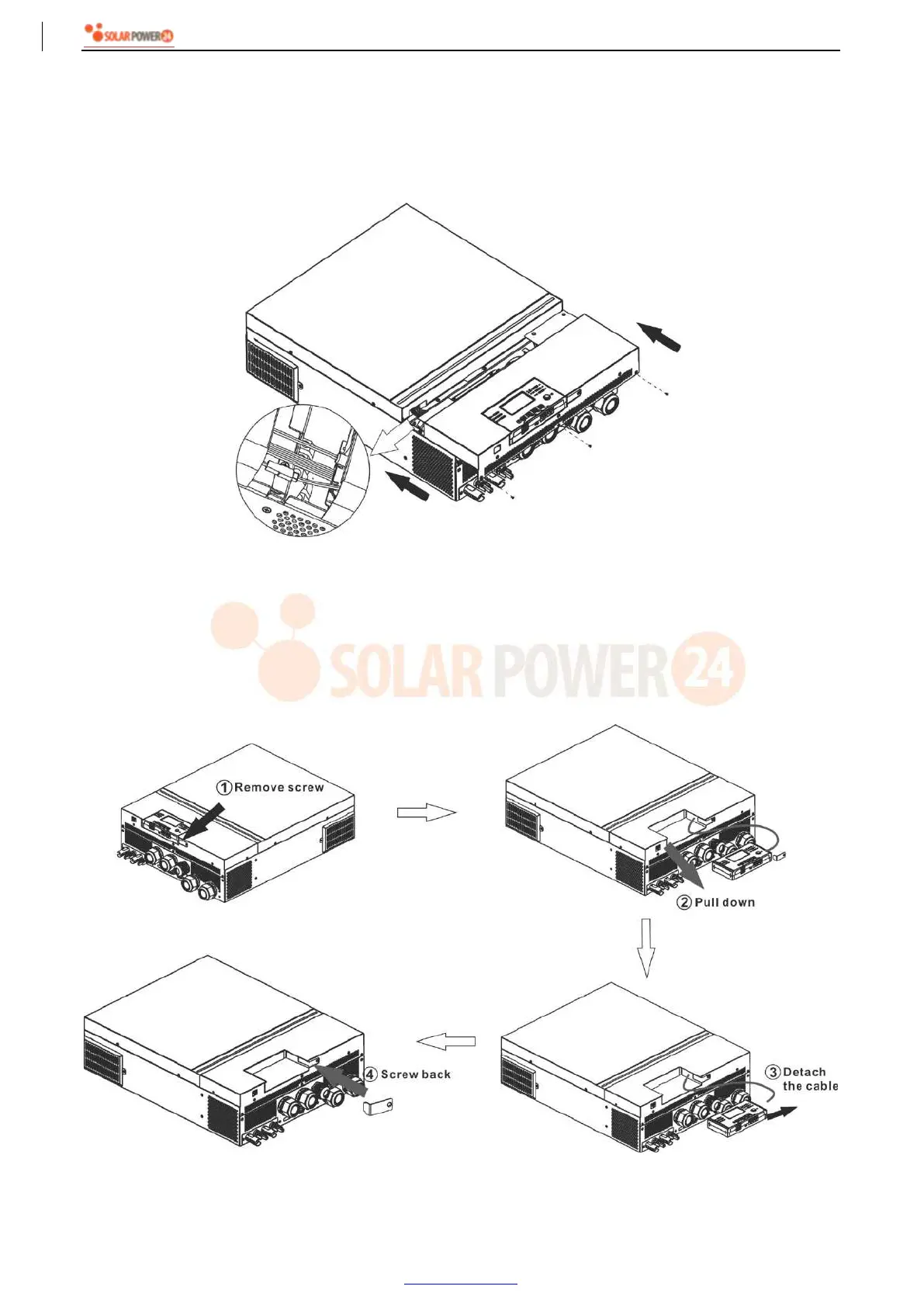
After connecting all wirings, re-connect three cables and then put bottom cover back by screwing five screws
as shown below.
Remote Display Panel Installation
The LCD module can be removable and installed in a remote location with an optional communication cable.
Please take the follow steps to implement this remote panel installation.
Step 1. Remove the screw on the bottom of LCD module and pull down the module from the case. Detach the
cable from the original communication port. Be sure to replace the retention plate back to the inverter.



 To Next Page