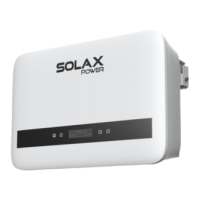
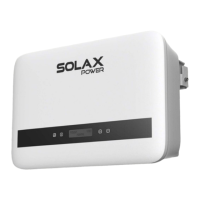
This document is an installation manual for the SolaX X1-MINI-G4 series of inverters, covering models from X1-MINI-0.6K-G4 to X1-MINI-3.3K-G4. It provides essential information for the safe and correct installation, operation, and maintenance of the device.
Function Description:
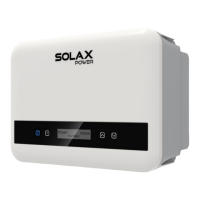
The SolaX X1-MINI-G4 is a solar inverter designed to convert direct current (DC) generated by photovoltaic (PV) modules into alternating current (AC) for use in homes or to feed into the electrical grid. It is part of SolaX's range of power products, emphasizing efficiency and reliability in solar energy systems. The inverter features an LCD screen that displays real-time output power, status, and error information, allowing users to monitor its performance. It also supports Wi-Fi configuration for remote monitoring and management through the SolaXCloud app.
Important Technical Specifications:
The manual lists various models, indicating a power range from 0.6 kW to 3.3 kW.
- PV Input Voltage Range: For 0.6K-2.0K models, the maximum DC input voltage is <450 V. For 2.5K-3.3K models, the maximum DC input voltage is <550 V.
- PE Line Cross-Sectional Area: The PE (Protective Earth) line should have a cross-sectional area of 2.5-6 mm², and it must be the same as that of the L/N (Live/Neutral) line.
- AC Side Connection: The L/N/PE lines for the AC connection should also have a cross-sectional area of 2.5-6 mm².
- DC Side Connection: The PV lines for DC connection should be 4-6 mm² with a strip length of 7.0 mm.
- Operating Temperature: The inverter is designed to operate within a temperature range of -25°C to +60°C (-13°F to +140°F).
- Humidity: The acceptable humidity range for operation is 0-100% RH.
- Communication Ports: The inverter includes a COM/CT port, an RJ45 terminal for communication (wiring according to 568B standard), and an optional dongle for Wi-Fi connectivity. The pin definition for the COM/CT port includes CT+, DRM0, Heat Pump-, 485_A, 485_B, Heat Pump+, +3.3V, and CT-. For DRM (Australia/New Zealand), only DRM 0 is currently available. For RS485, an RS485 to USB converter can be used to connect to a computer.
- Certifications: The device carries CE, RCM, UKCA, ETL, and TUV certifications, indicating compliance with various safety and quality standards.
Usage Features:
- User Interface: The inverter is equipped with an LCD screen and buttons (Up/ESC, Down/Enter) for displaying information and navigating menus. In normal status, it shows "Power," "Pgrid," "Today," and "Total" information. In error status, it displays fault messages and error codes.
- Monitoring: The inverter supports monitoring through a meter with or without a Current Transformer (CT). The CT direction is important and must point towards the public grid side. The SolaXCloud app provides a platform for monitoring and managing the inverter remotely via Wi-Fi.
- Wi-Fi Configuration: Wi-Fi setup is facilitated through the SolaXCloud app, which can be downloaded by scanning a QR code. Users can create an account and follow in-app tutorials or an online guide to configure the Wi-Fi connection. A YouTube video tutorial is also available.
- Installation Flexibility: The inverter can be installed with a slight tilt (≤5°) to prevent water accumulation. It requires specific clearance around it for proper ventilation: 30 cm from the top, bottom, and sides for single inverters, and 35 cm from the top, bottom, and sides for multiple inverters.
- Safety Features: The inverter includes an additional grounding point for enhanced safety. It is designed to be isolated from the mains and on-site PV generation suppliers before operation. High voltage warnings are present, advising against touching live parts for 5 minutes after disconnection from power sources.
Maintenance Features:
- Safety Precautions: The manual emphasizes the use of insulated tools and individual protective equipment during installation, electrical connection, and maintenance. It warns against opening the inverter casing without SolaX's authorization, as this will void the warranty and poses a risk of electric shock.
- Troubleshooting: In case of an error, the LCD screen will display a fault message and error code, which can be referenced in the user manual for corresponding solutions.
- Cleaning and Servicing: Before any maintenance, cleaning, or work on connected circuits, both AC and DC power supplies must be turned off and disconnected from the inverter. A 5-minute waiting period is required to ensure complete voltage discharge.
- RCD Requirement: If an external Residual Current Device (RCD) is required by local regulations, a Type-A RCD with a value of 300 mA is recommended.
- Label Visibility: All product labels and the inverter's nameplate must remain clearly visible for identification and safety information.
- Firmware Updates: Contents of the manual, including product and program descriptions, may be periodically updated or revised by SolaX without prior notice, implying potential for firmware or software updates.

 Need help?
 General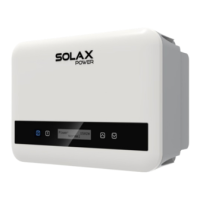






 To Next Page