EasyManua.ls Logo

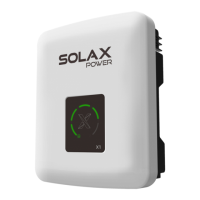
SolaX Power X1 Series - User Manual

SolaX Power X1 Series
63 pages
Print Icon
To Next Page IconTo Next Page
Loading...
320101040304
X1-Hybrid Series
User Manual
3.0 kW - 7.5 kW
EN
ADD: No. 288 Shizhu Road, Tonglu Economic Development Zone,
Tonglu City, Zhejiang Province, 310000 P. R. CHINA
TEL: +86 (0) 571-5626 0011
E-mail: info@solaxpower.com
Copyright Declaration
SolaX Power Network Technology (Zhejiang) Co., Ltd.
The copyright of this manual belongs to SolaX Power Network Technology(Zhejiang) Co., Ltd. Any
corporation or individual should not plagiarize, partially or fully copy (including software, etc.), and
no reproduction or distribution of it in any form or by any means. All rights reserved. SolaX Power
Network Technology (Zhejiang) Co., Ltd. reserves the right of fnal interpretation. The contents are
subject to change without prior notice.
The copyright of this manual belongs to SolaX Power Network Technology (Zhejiang) Co., Ltd.
Any corporation or individual should not plagiarize, partially or fully copy it (including software,
etc.), and no reproduction or distribution of it in any form or by any means shall be allowed. All
rights reserved. SolaX Power Network Technology (Zhejiang) Co., Ltd. reserves the right of final
interpretation. The contents are subject to change without prior notice.

Other manuals for SolaX Power X1 Series

Question and Answer IconNeed help?

Do you have a question about the SolaX Power X1 Series and is the answer not in the manual?

SolaX Power X1 Series Specifications

General IconGeneral
Protection RatingIP65
AC Voltage Range180V-280V
THDi<3%
Warranty5 years
MPPT Voltage Range520V
Number of MPPTs1
Nominal AC Voltage230V
Power Factor0.8 leading to 0.8 lagging
European Efficiency97%
ProtectionDC Reverse-Polarity Protection, AC Short-Circuit Protection
Operating Temperature Range-25°C to +60°C
CoolingNatural
CommunicationWiFi, Ethernet, GPRS
Frequency50Hz / 60Hz

Summary

Safety

Important Safety Instructions

Critical warnings for high voltage, electric shock, and operational hazards.

Explanation of Symbols

Explains symbols on inverter and label for user safety and understanding.

Introduction

Work Modes

Describes operational modes like Self Use, Feed-in Priority, Backup, and EPS.

Installation

Installation Precautions

Critical precautions and environmental conditions for safe inverter installation.

Electrical Connections

Grounding Connection (Mandatory)

Instructions for mandatory shell and equipotential grounding for safety.

Firmware Upgrading

Upgrade Steps

Step-by-step procedure for updating inverter firmware using a USB drive.

Troubleshooting

Troubleshooting

Solutions for identifying and resolving common faults and error messages.

Related product manuals