I
PV Connection
Grid and Off-grid Connection
Tool Preparation
Quick Installation Guide
*1
8AWG European
terminals*3
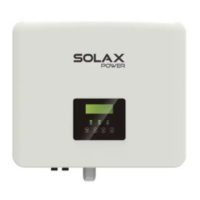
X1-Hybrid G4
series inverter.
Bracket
Waterproof cover*1
PV terminal
(positive*2 , negative*2 )
Waterproof connector
with RJ45*4/3(Meter/
DRM)
RJ45 terminals*1
10AWG European
terminals*2
(Expansion bolt ,Gasket,
Self-tapping bolt)*3
Battery connection
terminals *1
Warranty Card*1
Manual*1
OT terminal*1
M5 inner hexagon bolt*1
CT*1
Pocket WiFi*1
Meter *1(Optional)
Hammer drill(Bit φ10)
Socket wrench set(Hexagon)
(Crosshead M5)Torque screwdriver
Diagonal pliers
Utility knife
Diagonal pliers
Multifunction terminal crimping
tool (RJ45)
Rubber hammer
OT terminals press clamp
(0.5~6mm²)
Tape ruler
Euro terminal crimping tool
Hexagon keys
Spirit level
a)
a ) Use a marker to mark drilling holes of the
bracket on the wall .
b)
Φ10 Hammer
drill
c)
d)
Expansion
bolts
Screw
d ) The bracket is aligned with the screw uses
the inner hexagonal wrench to screw the
tapping screw until the expansion bolt
"bang" is heard.
Rubber hammer
Torque :2.5±0.2N·m
8
0.00 m
m
c) Insert expansion bolt into the hole, use
rubber hammer to knock the expansion
screw bolt into the wall.
e)
f)
f) Use the inner hexagonal wrench to tighten
the inner hexagonal screw on the right side of
the inverter.
Hexagon keys
(Torque :1.2±0.1N·m)
e) Hang the buckle on the inverter to the
corresponding position of the backplane.
7
.
0
m
m
Step 1. Turn off the DC switch, connect the PV module, prepare a
12AWG PV cable, and find the PV (+) terminal and PV (-) terminal in
the package.
Step 2. Use a wire stripper to strip the 7mm insulation layer of the wire
end.
Wire stripper
Step 4. Tighten the fastening head and into insert the corresponding positive and negative (PV-/PV+) ports of the inverter.
Crimping Tool
Negative
Positive
PV1+
PV2+
PV1-
PV2-
I
Battery Connection
Step 1. Prepare a Grid cable (three-core wire) and an Off-grid cable (two-core wire), and then find the European terminal and waterproof cover in
the accessory bag.
Step 2: The Gridand Off-grid cables go through the corresponding Grid and Off-grid ports of the waterproof cover. Remove the 12mm insulation
layer at the end of the wire. Insert the European-style terminals respectively, and make sure that the stripped ends are inserted into the
European-style terminal ,and finally use crimping pliers to press tightly.
High voltage lithium battery
+
-
CAN/RS485
Non-polar
DC MCB
Power line connection
Communication line connection
... ...
ON
OFF
PV 1
PV 2
BAT
BMS
CAN
DRM
Upg rade
DON GLE
MET ER/CT
COM /LCD
Note:
When using SOLAX batteries,
the recommended number of
battery modules(HV10045/HV10063/HV10058) is
1-3 units, and battery controller MC0500unit.
8 A
WG
1
5.
0
m
m
Crimping Tool
Step 2. Insert the stripped cables into the DC plug (-) and DC Plug (+) respectively.
Step 3. Press down on the spring by hand, you can hear a click sound, then push the
ends together, and tighten the screw joints.
Step 1. Prepare 8 AWG battery power line , find the DC
plug (+), DC plug (-) in the accessory bag.
Step 4. Insert the battery power lines into the corresponding BAT port (+), (-) of the
inverter.
Note!
After the BMS communication between the battery
and the inverter is finished, the battery will work
normally.
Quick Installation Guide
X1-Hybrid 3.0KW-7.5KW
Packing List
Mounting Steps
Marker
Note: “ ”attachments are not included in the M-series inverter attachment package and will be included in the X1-Matebox.☆
is the standard accessory in the M-series inverter and the optional accessory in the D-series inverter."▲"
“ ” The inverter in Australia needs to be connected to DRM, which is 1 more communication line adapter than that in other countries, while the other countries only need 2
communication line adapters.
☆
X1-Hybrid Series 3.0KW-7.5K W
X1-Hybr id U se r Ma nual
3.0kW - 7.5kW
EN
b) Drill holes at marked spots with depth of 80mm.
PV cable
PV pin
Negative terminal
Positive terminal
Positive PV pin
Negtive PV pin
Step 3. The PV connector is divided into 2 parts, to the plug and the fastening head.Pass the cable through the fastening head and the
alignment plug.Note that the red and black lines correspond to different pairs of plugs.Finally, force the cable into the plug and hear a
"click" to indicate that the connection is complete.
Positive metal
terminal
Negative metal
terminal
Positive terminal
Negative terminal
Diagram A: Neutral line and PE line are separated from each other, and
the common load is connected to the off-grid port;(For most countries)
Diagram B: Neutral line and PE line are separated from each other,
all loads connect to the Off-grid port;(For most countries)
10AWG Euro Terminal*2
Waterproof cover
Grid( Triple Core Cable)8AWG*3
Off-grid( Double Core Cable)10AWG*2
Eurp Terminal 8AWG *3
Battery connection diagram:
Diagonal
pliers
BAT plug (+) BAT plug (-)
Power line
DC plug (-) DC plug (+)
Spring
Cavity
The cable must pass through here
Spring
Spring
Crack!
Note: BAT port, not PV port!
Note: The positive and negative
wires of the battery are not
allowed to be reversed!
☆
☆
☆
☆
☆
DC Voltage range ≥1100 V DC
Grid Cable and Micro-breaker recommended
Cable (copper)
Micro-Breaker
Model
X1-Hybrid-3.0-D X1-Hybrid-3.7-D X1-Hybrid-5.0-D X1-Hybrid-6.0-D
3-4mm²
3-4mm²
4-6mm²
4-6mm²
50A
Off-grid Cable and Micro-breaker recommended
Cable (copper)
Micro-Breaker
Model
X1-Hybrid-3.0-D
X1-Hybrid-3.0-M
X1-Hybrid-3.7-D
X1-Hybrid-3.7-M
X1-Hybrid-5.0-D
X1-Hybrid-5.0-M
X1-Hybrid-6.0-D
X1-Hybrid-6.0-M
4-6mm²
6-8mm²
8-10mm²
8-10mm²
25A 25A 32A 32A
50A40A32A
X1-Hybrid-7.5-D
6-8mm²
50A
X1-Hybrid-7.5-D
X1-Hybrid-7.5-M
8-10mm²
40A
PV pin angle
(positive*2 , negative*2 )
Diagram C: Neutral line and PE line are combined togeter, and the
common load is connected to the off-grid port;(Apply to Australia)
Diagram D: Neutral line and PE line are combined together, all
loads connect to the Off-grid port;(Apply to Australia)
N
BAT
Battery
N-BAR for loads
N-BAR for off-grid loads
off-grid loads
Loads
X1-Hybrid G4
PV 1
PV 2
E-BAR
RCD
Breaker
Grid
Breaker
Grid
Off-grid
Main Breaker
Breaker
Breaker
CT
CT
Breaker
PE
RCD
X1-Matebox
CT
Distrbution Box
Battery
Grid
Off-grid
PV 1
PV 2
E-BAR
Grid
Breaker
Loads
N-BAR for loads
N
Main Breaker
BAT
X1-Hybrid G4
PE
X1-Matebox
CT
Distrbution Box
Battery
Grid
Off-grid
PV 1PV 2
E-BAR
Grid
Breaker
Loads
N-BAR for loads
N
Main Breaker
BAT
X1-Hybrid G4
N
BAT
Battery
N-BAR for loads
N-BAR for off-grid loads
off-grid loads
Loads
X1-Hybrid G4
PV 1
PV 2
E-BAR
RCD
Breaker
Grid
Breaker
Grid
Off-grid
Main Breaker/RCD
Breaker
Breaker
CT
CT
Breaker
RCD
Grid
Off-grid
L=
12
mm
L
Grid
Off-grid
Torque screwdriver
( Torque: 0.2±0.1N·m)
GRID
Off-grid
L N PE L N
▲
Cable (copper)
Micro-Breaker
Model
X1-Hybrid-3.0-M X1-Hybrid-3.7-M X1-Hybrid-5.0-M X1-Hybrid-6.0-M X1-Hybrid-7.5-M
3-4mm²
3-4mm²
4-6mm²
4-6mm²
25A 25A 32A 32A
6-8mm²
40A
☆
☆
☆
☆
The PV port wiring of X1-Hybrid G4 M series inverter has been completed. On X1-Matebox, the D series needs to be wired according to
the following steps.
The Grid and Off-grid ports of X1-Hybrid G4 M series inverter have been connected, and the D series needs to be wired according to the following
steps.
Battery port connection line of the X1-Hybrid G4 M series
inverter is on the X1-Matebox, just connect it. It is necessary to
wire the D series according to the following steps.


 To Next Page
 Need help?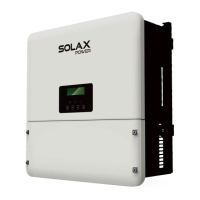




 General