EasyManua.ls Logo

Solax Adapter Box - User Manual

Solax Adapter Box
2 pages
Print Icon
To Next Page IconTo Next Page
Loading...
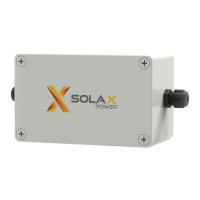
SolaX Adapter Box
Quick Installation Guide
Packing List
- Check that if there is any distortion or impaired during
transportation.
SolaX Adapter box is matched with a heat pump with dry
contact function, which can realize heat pump integrated
photovoltaic inverter energy system management. The inverter
can control the Adapter box to use solar energy efficiently
according to the requirements set by the user (grid power,
battery capacity, time, etc.) Supplying heat pumps is generally
applicable when there is surplus solar energy and battery
storage capacity. This part of the energy can be used to heat
the heat pump within the required temperature range. Please
read this guide carefully before using.
Mounting
III
Introduction
I
- Dismantle the upper cover of the SolaX Adapter Box.
- Pass the expansion screws through box installation channels.
Screw the expansion screws.
Quick installationguide X1
Expansion tubes X4
Expansion screws X4
Hot water
Heat pump
80mm
130mm
112mm
62mm
Overview
II
φ6 Drill
(Depth: 30 mm)
IV
62mm
112mm
- Use the marking cardboard to x it on the wall and determine the location of the hole.
Drill holes withφ6 drill.
Depth: at least 30mm.
- Tighten the expansion tubes.
Slotted screwdriver
torque: 0.5±0.1Nm
V
Connection diagram of the external relay for the Smart Grid Ready control of a heat pump.
(For the dry contact K3/K4 wiring on the heat pump, please refer to the heat pump quick installation guide)
K4
K3
K2
K1
1
2
3
4
5
6
7
8
1
2
3
4
5
6
7
8
Inverter
Heat pump
Note: Adapter Box is usually suitable for heat pumps
with dry contact function. The connection of the Inverter's
communication 3/6/7/8pin dry contact and the dry
contact K3/K4 on the heat pump is controlled.
Wiring
Inverter
Heat pump
K3
K4
01
71mm
N
O
1
2
3
Marking cardboard X1
Note: Please choose a place where the Adapter
box is not directly exposed to the sun.
Heat pump
Slotted screwdriver
torque: 1.2±0.1Nm
Question and Answer IconNeed help?

Do you have a question about the Solax Adapter Box and is the answer not in the manual?

Summary

Introduction to SolaX Adapter Box

Overview and Packing List

Mounting the Adapter Box

Drilling for Mounting Holes

Drill holes with a 6mm drill bit to a depth of at least 30mm, then tighten expansion tubes.

Securing the Adapter Box

Dismantle the upper cover, pass expansion screws through channels, and screw them in.

Wiring Diagram

External Relay Connection

Connection diagram for external relay for Smart Grid Ready control of a heat pump.

Connecting to Inverter and Heat Pump

Inverter COM;RS485 Pin Definition

Defines the pin assignments for communication between the adapter box and inverter.

DIP Switch Settings

Configuration of DIP switches for different inverter series (X1/X3-Hybrid G4 and grid-connected).

Heat Pump Wiring Details

Connect cables to through-hole terminals and insert wiring into the heat pump port.

Configuration Settings

Operating Modes Overview

Describes the four controllable operating modes for heat pumps.

Load Management Settings

Configure heat pump operation based on feed-in power, consumption, battery SOC, and time schedules.

Overview

The SolaX Adapter Box is a crucial component designed to integrate a heat pump with dry contact functionality into a photovoltaic (PV) inverter energy system. This device enables the inverter to intelligently manage the heat pump's operation, optimizing the use of solar energy based on user-defined parameters such as grid power, battery capacity, and time. Its primary function is to facilitate the efficient utilization of surplus solar energy and battery storage capacity for heating purposes, ensuring the heat pump operates within the desired temperature range.

Function Description:

The SolaX Adapter Box acts as an intermediary between a SolaX PV inverter and a heat pump equipped with a dry contact interface. It allows the inverter to send control signals to the heat pump, dictating its operating mode based on the availability of solar energy and the user's energy management strategy. This integration ensures that the heat pump can leverage clean, renewable energy, reducing reliance on grid power and potentially lowering energy costs.

The system supports four controllable operating modes for the heat pump, with SolaX recommending the use of modes 2 and 3 for optimal performance. These modes are switched via an external relay controlled by the SolaX inverter.

  • Operating Mode 2 (Standard Operation): In this mode, the heat pump runs in its standard operational state. The external relay controlling the heat pump remains open to activate this state.
  • Operating Mode 3 (Increasing Temperature Mode): This mode enables the heat pump to operate in an intensified manner for hot water generation or room heating. It's not a direct start-up command but rather an activation recommendation based on available PV power. The external relay is closed to activate this state.

Users can configure the heat pump function through the inverter's LCD screen by navigating to "Load Management" and selecting "Smart Save." This interface provides a range of settings to customize the Adapter Box's behavior:
  • Disable Function: The Adapter Box function can be turned off entirely.
  • Manual Mode Switch: Allows for manual activation or deactivation of the Adapter Box.
  • Feed-in Power Threshold: Users can set a threshold for feed-in power. When the feed-in power equals or exceeds this value, the Adapter Box activates, prompting the heat pump to operate in Mode 3.
  • Consumption Power Threshold: A threshold can be set for power consumption. If consumption equals or exceeds this value, the Adapter Box deactivates, causing the heat pump to switch to Mode 2.
  • Battery Capacity Threshold: Users can define a battery capacity threshold. If the battery capacity drops to this value, the Adapter Box deactivates, and the heat pump switches to Mode 2.
  • Minimum Duration per On-Signal: This setting determines the minimum time the heat pump will continuously run in Mode 3 once the feed-in power condition is met.
  • Maximum Duration per Day: Users can set a cumulative daily operation time for Mode 3. If this value is exceeded, the Adapter Box will not activate, even if the feed-in power condition is met.
  • Work Periods: Two distinct working time periods can be configured for Mode 3 operation, allowing for scheduled activation and deactivation of the heat pump based on time of day. Outside these periods, the Adapter Box's operation will be governed by the feed-in power, consumption, and battery capacity thresholds.

Important Technical Specifications:

  • Dimensions: The Adapter Box measures 130mm x 80mm x 71mm.
  • Mounting: Requires drilling holes with a Ø6 drill, at least 30mm deep, for secure wall mounting using expansion screws.
  • Screwdriver Torque:
    • For the upper cover: 0.5 ± 0.1 Nm
    • For box installation channels: 1.2 ± 0.1 Nm
    • For green terminal block: 0.4 ± 0.1 Nm
  • Communication Cable (Inverter Connection): Conventional Communication cable, stripping length L = 15.00mm. Uses an RJ45 connector.
  • Heat Pump Wiring: Wire specifications: outer diameter (3.5-5.5) mm, stripping cable length L = 7.00mm.
  • Compatibility: Designed for use with SolaX X1-Hybrid G4/X3-Hybrid G4 series inverters and SolaX grid-connected inverter series. Specific DIP switch settings are required based on the inverter series.
    • For X1-Hybrid G4/X3-Hybrid G4 series: All three DIP switches should be in the "OFF" position (factory default).
    • For SolaX grid-connected machine series: All three DIP switches should be in the "ON" position.
  • PIN Definition (COM/RS485): The inverter terminal communication lines must adhere to a specific color sequence. For X1-Hybrid G4/X3-Hybrid G4 series, attention is required for pins 3, 6, 7, and 8. For SolaX grid-connected inverter series, attention is required for pins 3 and 6.

Usage Features:

  • Intelligent Energy Management: Optimizes heat pump operation based on real-time solar energy availability, battery status, and grid conditions.
  • User-Configurable Settings: Extensive customization options through the inverter's LCD interface allow users to tailor the system's behavior to their specific energy needs and preferences.
  • Flexible Operating Modes: Supports standard and intensified heating modes, providing adaptability for different heating requirements.
  • Scheduled Operation: Allows for time-based control of the heat pump, enhancing energy efficiency and convenience.
  • Dry Contact Integration: Specifically designed for seamless integration with heat pumps featuring dry contact functionality, ensuring broad compatibility.
  • Visual Indicators: The device includes a packing list with expansion screws, expansion tubes, a quick installation guide, and a marking cardboard for easy setup.
  • Environmental Consideration: The manual advises choosing a mounting location where the Adapter Box is not directly exposed to the sun to ensure optimal performance and longevity.

Maintenance Features:

  • Durable Construction: Built to withstand typical operating conditions, ensuring long-term reliability.
  • Clear Installation Instructions: The quick installation guide provides detailed steps for mounting and wiring, simplifying the setup process.
  • Accessible Components: The upper cover of the Adapter Box can be easily dismantled for installation and wiring, facilitating maintenance and troubleshooting.
  • Standardized Connections: Utilizes common RJ45 connectors and terminal blocks for wiring, making connections straightforward and repairable.
  • Troubleshooting Guidance: The manual advises contacting SolaX support if there is any distortion or damage during transportation or if specific inverter matching is required, indicating a support structure for maintenance.
  • Regular Checks: While not explicitly stated as a maintenance feature, the emphasis on correct wiring and DIP switch settings implies that periodic checks of these configurations would be beneficial for sustained optimal performance.

Solax Adapter Box Specifications

General IconGeneral
BrandSolax
ModelAdapter Box
CategoryInverter
LanguageEnglish

Related product manuals