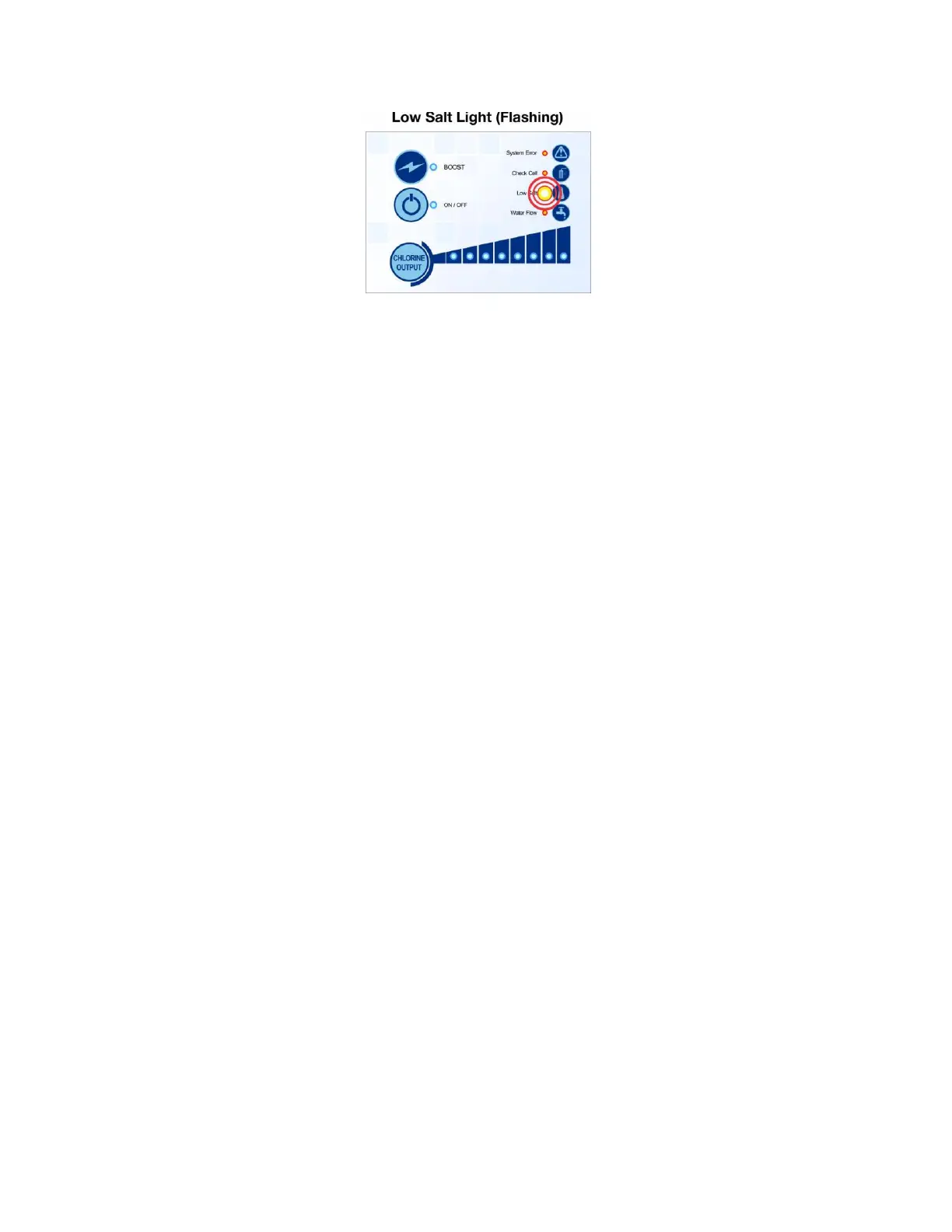
Low Salt Light Flashing means:
a. Salt level is getting critically low
b. The cell needs cleaning - Clean the cell by soaking the cell in 1 part muriatic
acid and 4 parts water until foaming stops takes about 5 to 10 minutes. Might
need to do it 2 or 3 times depending on the buildup
c. Cell blades have worn down due to usage and the cell is coming to the end of
its useable life - Low salt light flashing comes on when the blades have
naturally worn down over time. Needs to check the amps and volts, if amps are
good and volts are high, then the blades are wearing down. This is a sign of an
aging cell.
d. The Power Supply is programmed to the wrong size for the cell. Need to check
the programming
Check Amps:
Check amps by tapping Chlorine Level Button until all 8 LEDs are on.
Wait to allow the system to ramp up and then hold Super Chlor or Boost Button for 3
seconds until the water flow lights come on. The LED lights above Chlorine Level
Button will alternate back and forth with the ON/OFF LED.
How many LED lights are on with ON/OFF LED on and how many alternates with the
ON/OFF LED?
Example: 5 lights on with ON/OFF LED on and 8 lights alternate with ON/OFF
LED = 5.8 amps or 6 lights on with ON/OFF Button and 0 lights alternate with ON/OFF
Button = 6.0 amps.
Optimal ranges for are between 5.8 and 6.0
Anything less the cell has come to the end of its useable life, cell needs cleaning or the
blades are damaged


 To Next Page
 Loading...