8
In-App Setup
Note: Please ensure that your phone connect to the 2.4Ghz wifi
before you pair the camera, make sure your router
password in mind before you start the pairing process.
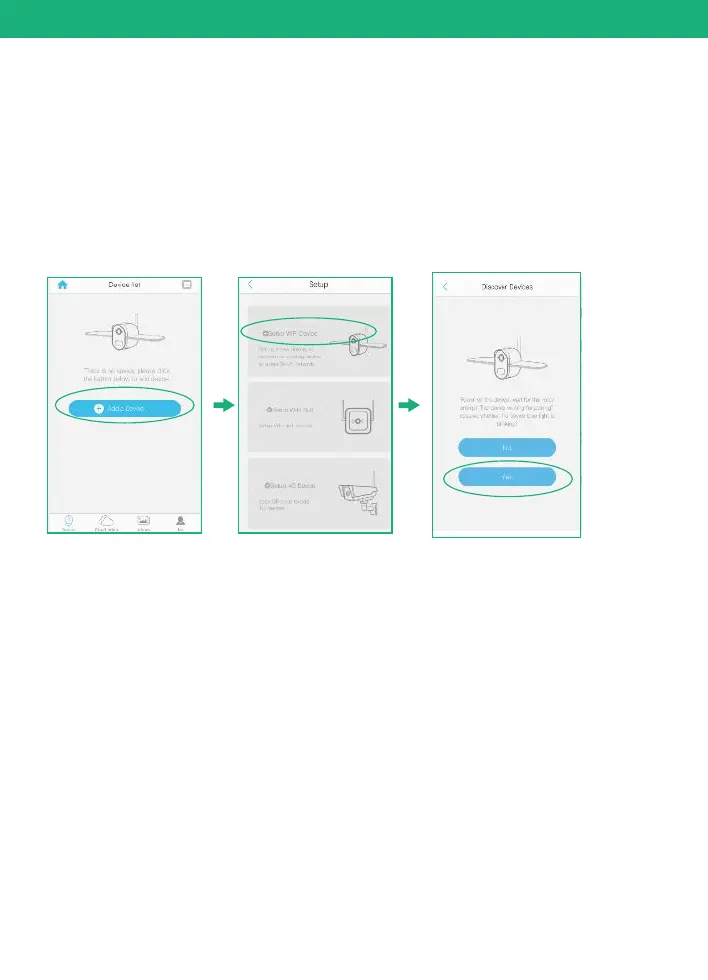
Click "Add a device" and then choose "Setup device",
click "Yes", when you hear the following voice “ The
camera is now ready to begin pairing”.
1)
2) When your phone or tablet connected well with your 2.4G wi-fi
and you allow the access of using the location for the app, your
wi-fi name will be shown here automatically. Otherwise please
check your wi-fi list from your devices and you have to turn on
the location services for the Soliom+.
6. Pairing the camera with the App


 To Next Page