6
In-App Setup
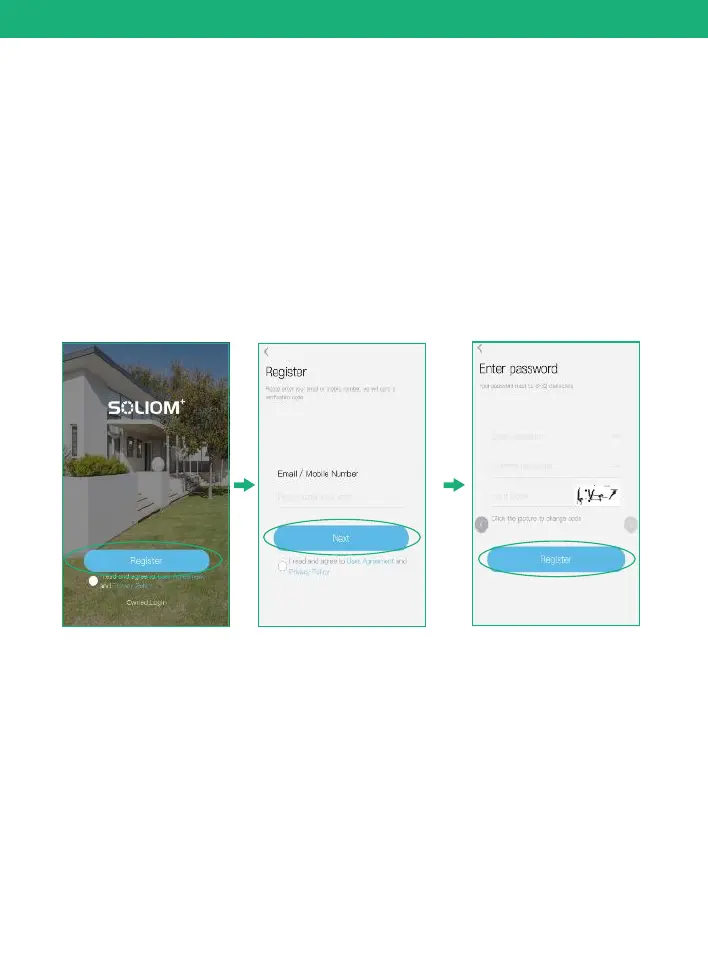
Open the App and register your account with your email
address.
(1)Please set a password for your account and make note
to remember it.
(2)Please click "Allow" or "Agree" on all access when you
download soliom+ and during the process of setting up
your account so that the can have full access to soliom+
your camera and phone. otherwise, your camera may
have less function or incomplete setups.
2. Register an account
Click”Add family” and then input your desired family
name, click “next step” and then input required information,
and then click “finished” to save it.
3. Set up the installed location
please pay attention to choose your right "Country/Region"
so that you can connect the camera smoothly later and get
proper notifications from your correct region server
Note: The required fields are country and state.


 To Next Page