52
s
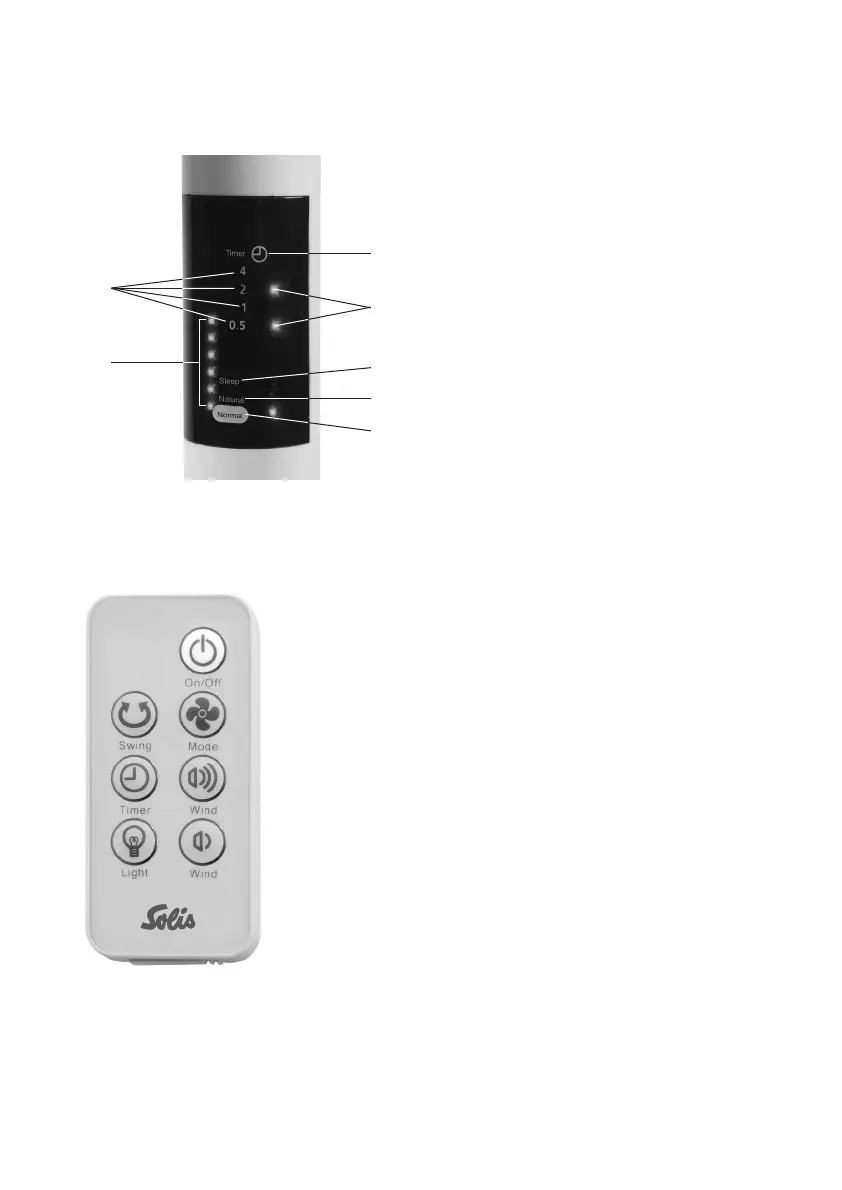
fan display
å
Timer-setting
ç
Number of hours
é
Timer indicator lights
for the selected hours
è
Indicator lights
for speed setting
Program-setting
(only possible with the
“Mode” button on the remote)
ê
Sleep-program
ë
Natural wind
í
Normal wind
s
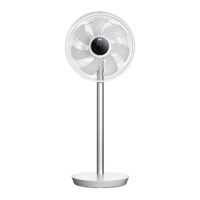
the remote
In general:
– The function buttons on the control correspond to the
buttons on the fan. Some exceptions: The programs
of the “Mode”-button can not be changed on the
appliance itself. Also, the lights on the display can
only be turned off using the remote.
– Please insert a CR 2025 into the remote. Make sure the
polarity is correct. If you are no longer using the remote,
remove the battery and store it separately, to conserve
battery life.
– The operating distance of the remote is up to 3.5 me-
tres. If the remote is not pointed directly at the receiver
on the display, then the operating distance is lower.
– Please ensure that there are no obstacles between the
remote and the receiver on the display.
– Please keep the remote safe, it must not fall or break.
å
é
ê
ç
ë
í
è


 To Next Page