Solo 461 Cordless Heat Detector Tester
Instructions for use
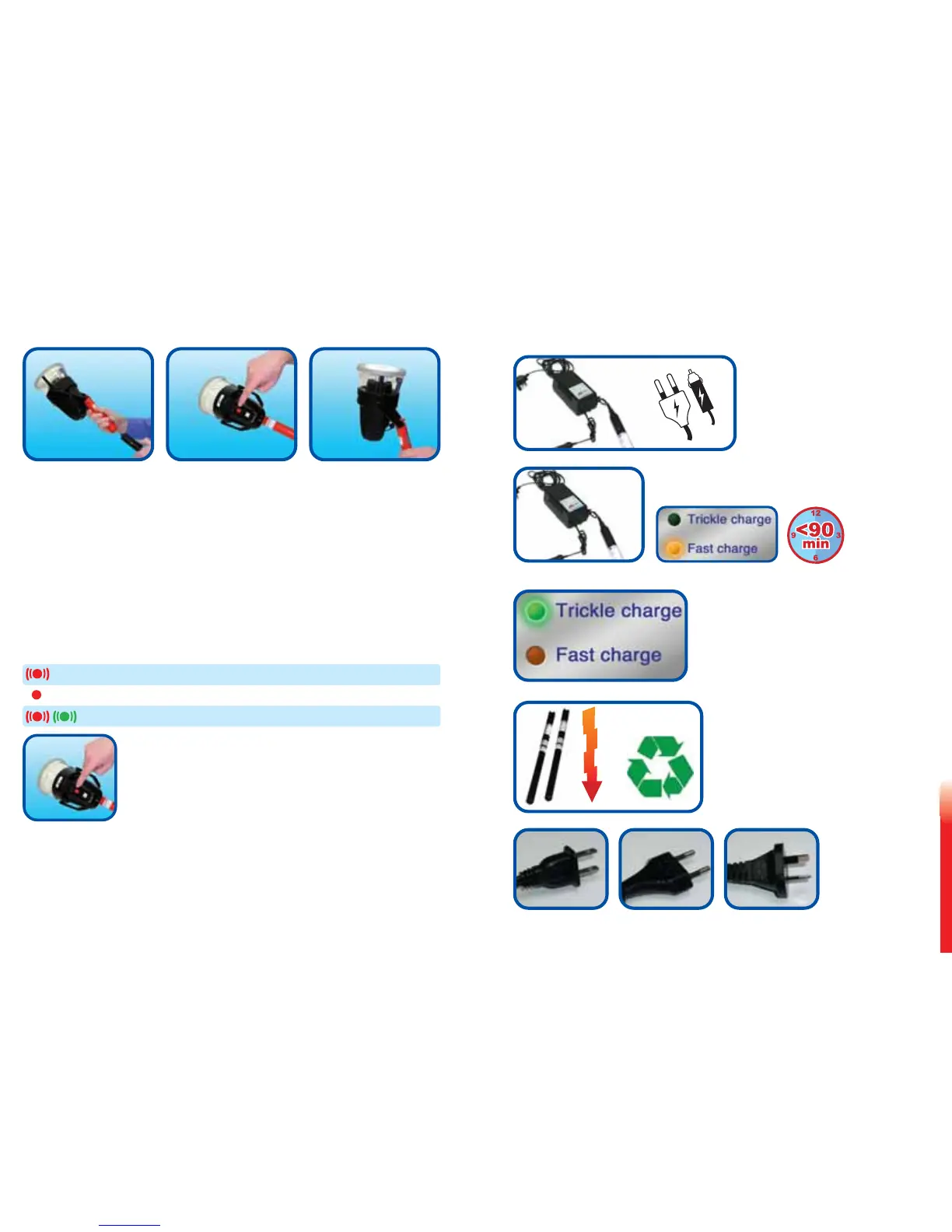
Insert a charged Battery Baton Press the red switch to turn on Position the latch
into tool & pole LED illuminates green & place over detector
Flash at slow rate indicates
normal STANDBY mode.
• Tool will automatically start testing when infra-red beam in cup is broken
• Green LED will flash faster
• Hold in place until the alarm is activated*
• When the detector alarms, remove the tool from the detector
• It will revert to standby mode (slow flashing green LED) and the internal
blower will cool the heating element for a few seconds
(*If the detector fails to activate it may be faulty. Insert a replacement detector and test again)
Notes
LED flashing red=warning battery nearly discharged - Normal testing can continue
LED constantly red=battery fully discharged or error - Testing cannot continue
LED flashing red/green=Tool automatically terminated test - Time exceeded 120 sec
After testing, switch off at red switch to
preserve battery life
Useful Tips:
• Tool features an automatic power-saving feature,
which will turn it off after five minutes if not used
• Only use with Solo™ Battery Baton™ and only charge the Battery Baton™
with the Solo™ Charger (see Page 9 for charging instructions)
• It is normal for the Battery Baton™ to get slightly warm during use
• Never block the ventilation hole in the side of the cup, which ensures correct airflow
Solo 461 Battery Charging Instructions and
General Information
• Connect charger to power outlet
or lighter socket in vehicle
using mains lead supplied or
the umbilical DC connecting
lead
• Power LED will illuminate
• Connect battery to charger
• Fast Charge LED will illuminate
• When battery is fully charged,
fast charge LED will extinguish
• Trickle charge LED will illuminate
• Ideally fully discharge in normal use
before recharge
• International power outlet cables available from your supplier
[ 8 ] [ 9 ]


 To Next Page