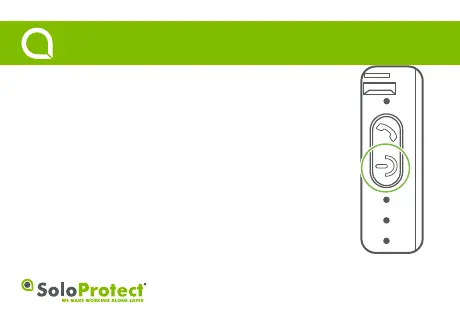
Function: Turns the SoloProtect Go On or Off.
How to use:
On: Press the highlighted Power buon for a minimum of three seconds.
The device will emit a beep, and a single vibraon. Once on, SoloProtect Go will
automacally perform a ‘Device Check’.
Off: Press the highlighted Power buon for a minimum of five seconds.
The device will emit two vibraons, and beep.
2
Turning On/Off
Quick Start Guide



 To Next Page